AI-first Accounting Intelligence
Ask your books. AI answers with the source.
225225Ready reportsAny books in. Reports, returns and audit out.
For CA firms, auditors and finance teams. Connect your client's existing accounting software and get answers, Schedule III, GST returns, reconciliations and audit tests in minutes.
No export for direct connections. No retyping. Your source books are never changed unless you approve a posting to Tally.
- TallyPrime
- Tally.ERP 9
- BUSY
- MARG ERP
- EasySol
- Excel / CSV
- ODS / XML / JSON
AI-first
AI that works on your own books
The built-in AI runs on your PC. It reads the figures from the books and tells you where they came from.
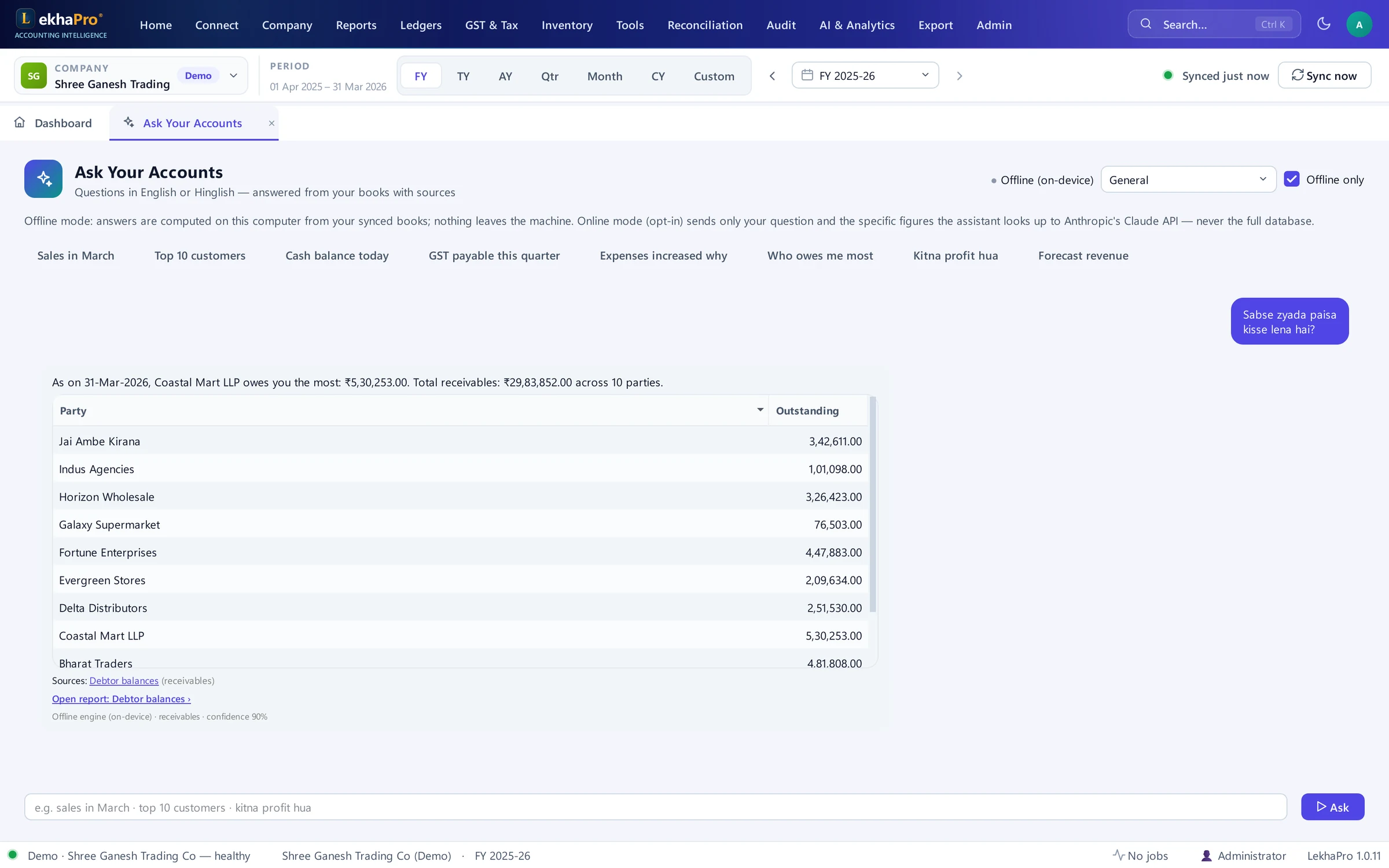
Ask Your Accounts
Ask in English or Hinglish. A rules and intent engine on your PC finds the figure in your books and names the source and the report.
AI CFO Summary
A management note built from your own numbers: KPIs, ratios, trends, red flags and forecast.
Forecast & What-if
Revenue, expenses and cash ahead with an 80% band. Move price, volume, cost or collection days and see the effect.
Anomaly Centre
A model on your PC ranks unusual vouchers and gives the reasons in plain words. They are indicators to review, not proof.
Daily briefing
Sales, collections, payments and cash for the day and the month, with what needs attention first.
Eight personas
Accountant, Auditor, GST Expert, CFO, Inventory, Collections, Procurement and Compliance, each with ready questions. They take full effect with online AI.
Built-in AI on your PC
Ask, CFO summary, anomaly ranking, forecasts and briefing are worked out on your PC from its copy of the books. No internet, no key, nothing is sent.
Online AI optional, off until you turn it on
Needs your consent, your own Claude API key and internet. Only the question, the recent chat and the figures it looks up, or the document pages you choose, are sent to Anthropic.
Screens
The app, as it looks on your PC
Real screens with sample data. Click the screen in the laptop to see it in full size.
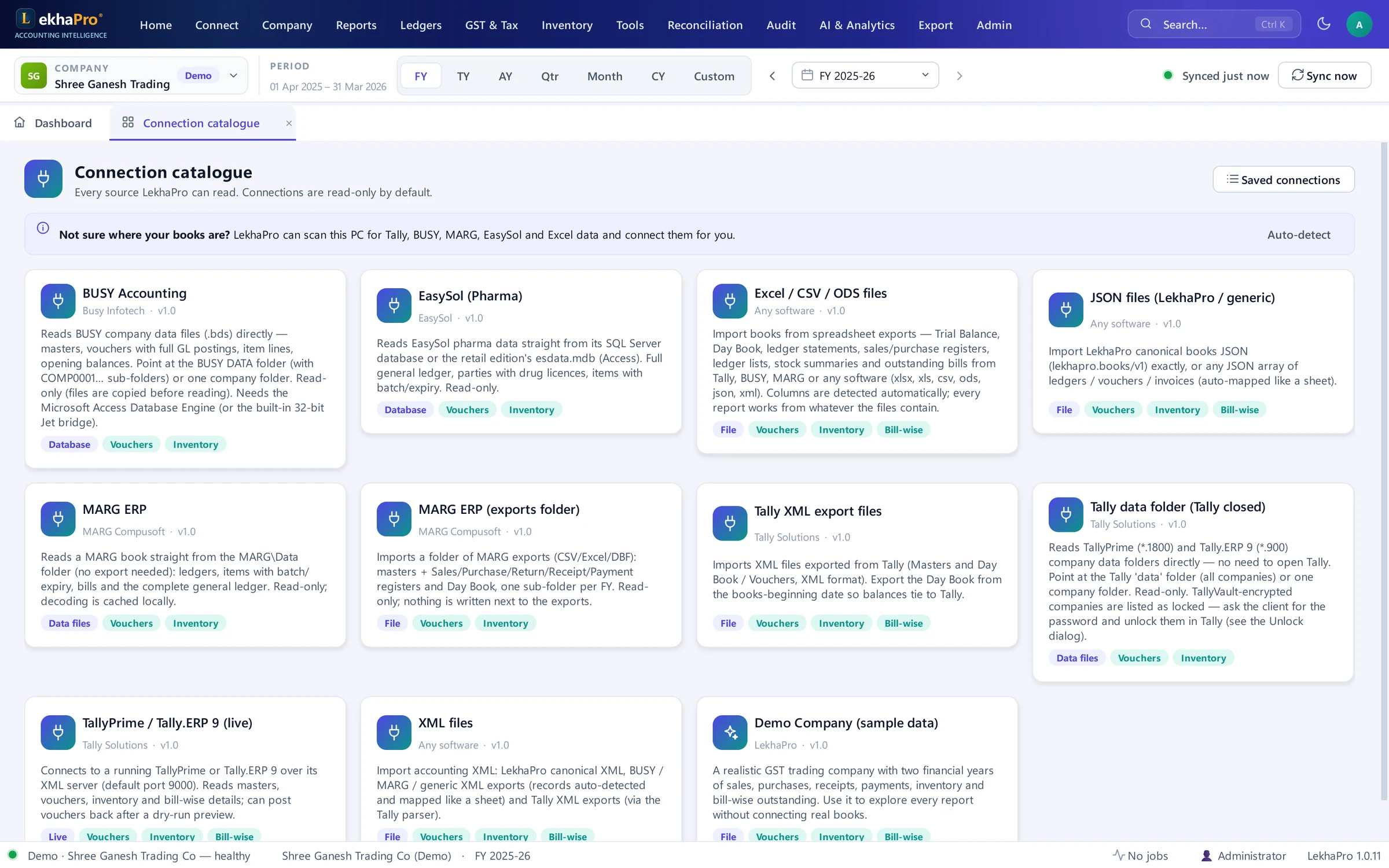
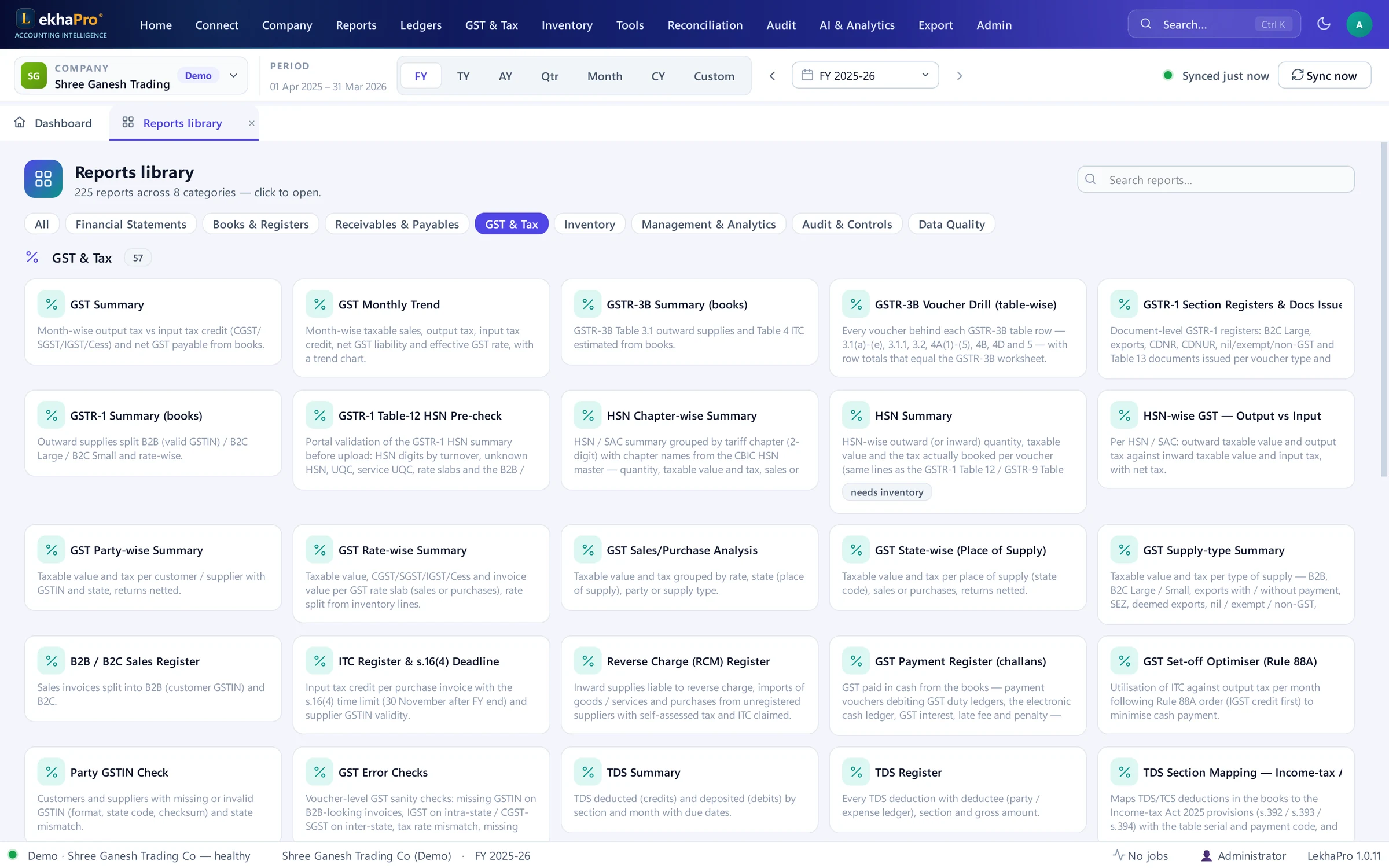
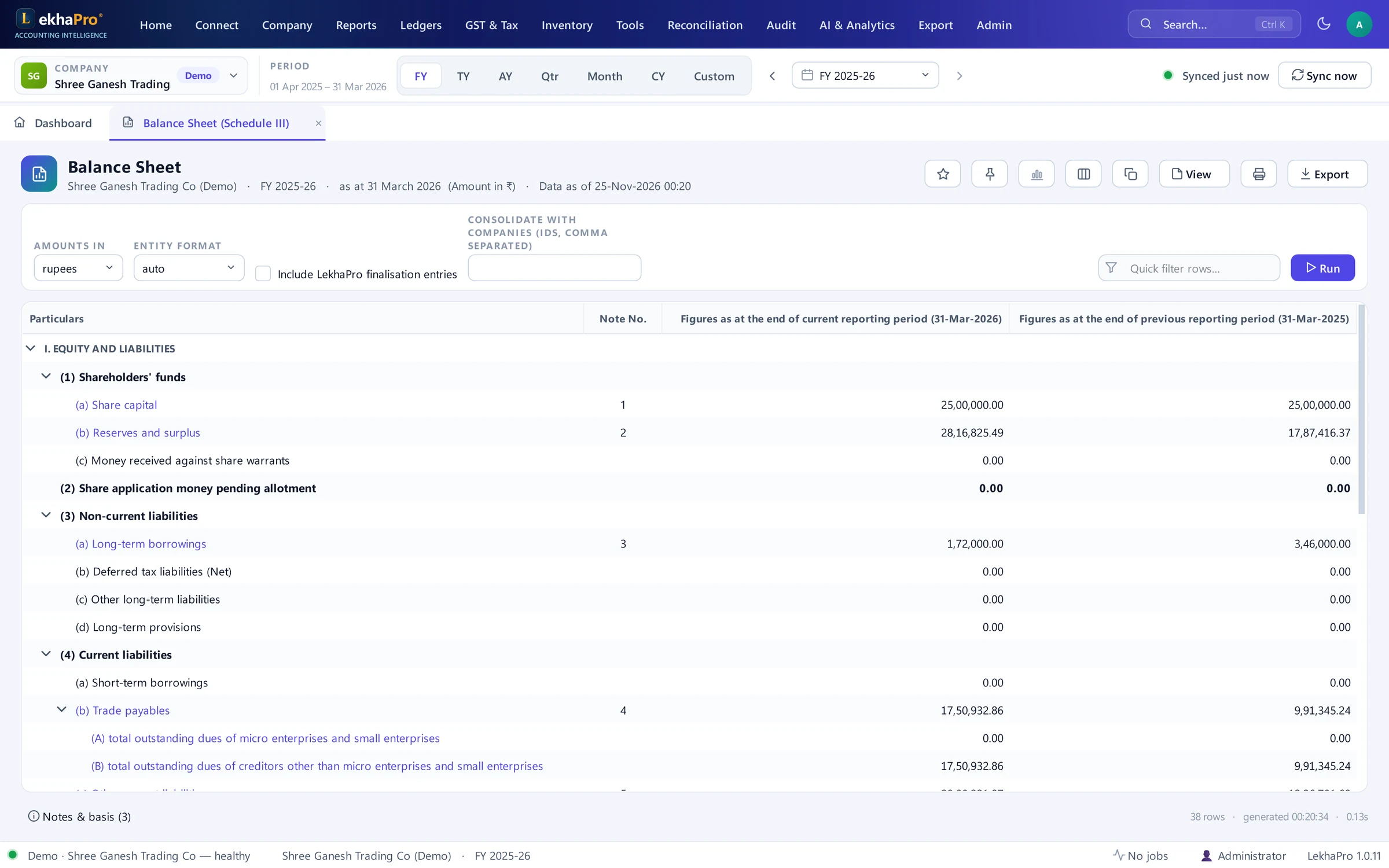
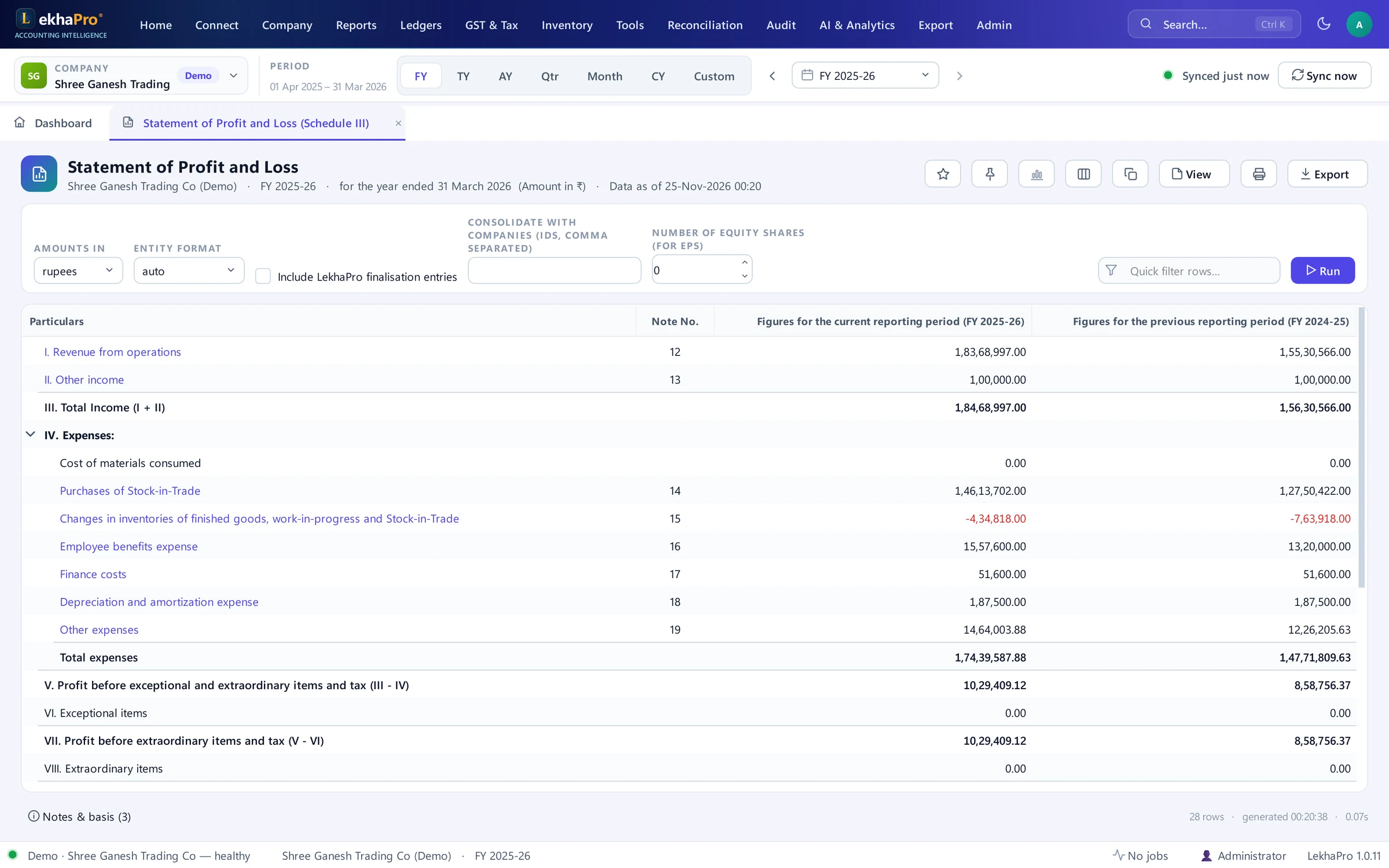
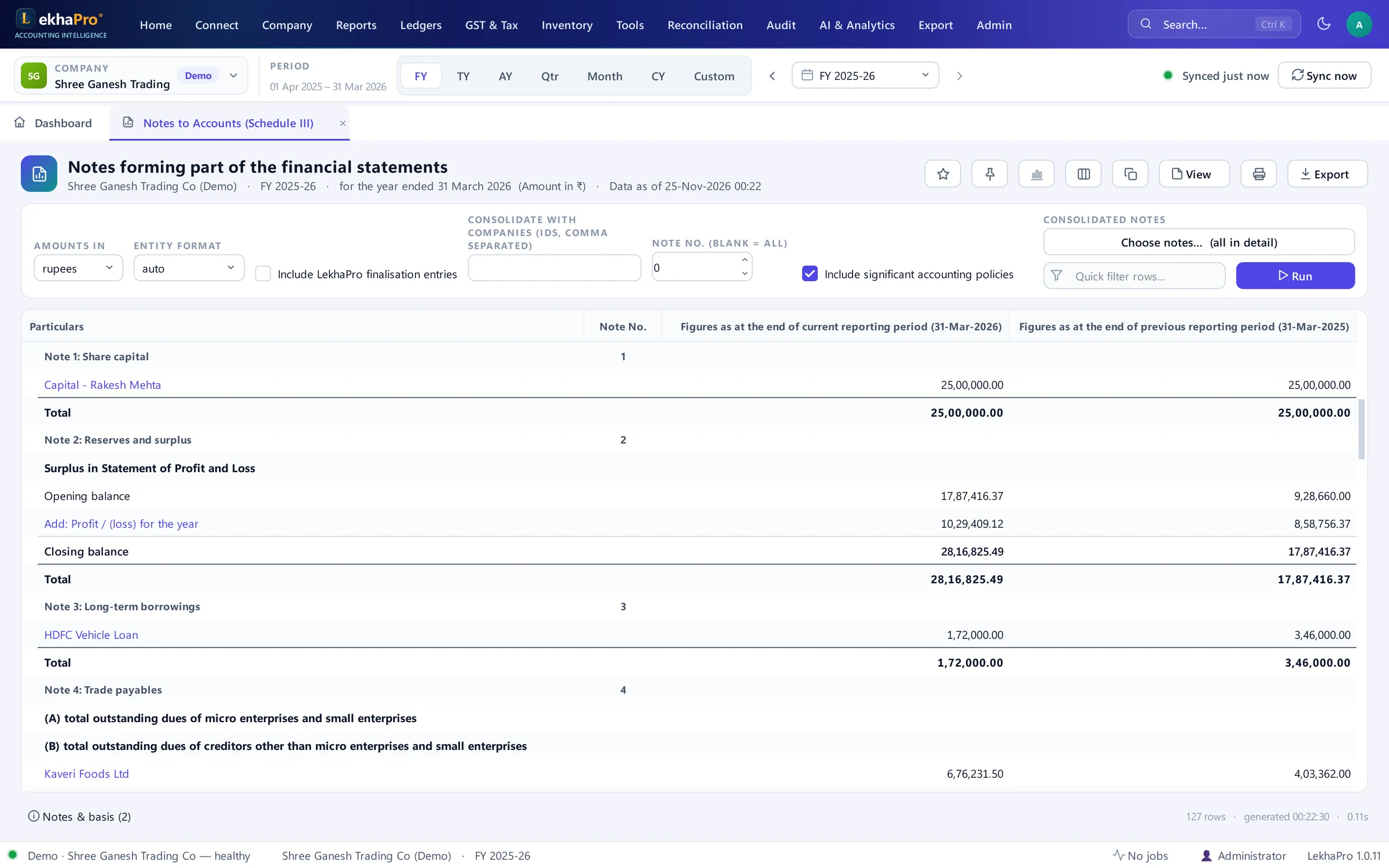
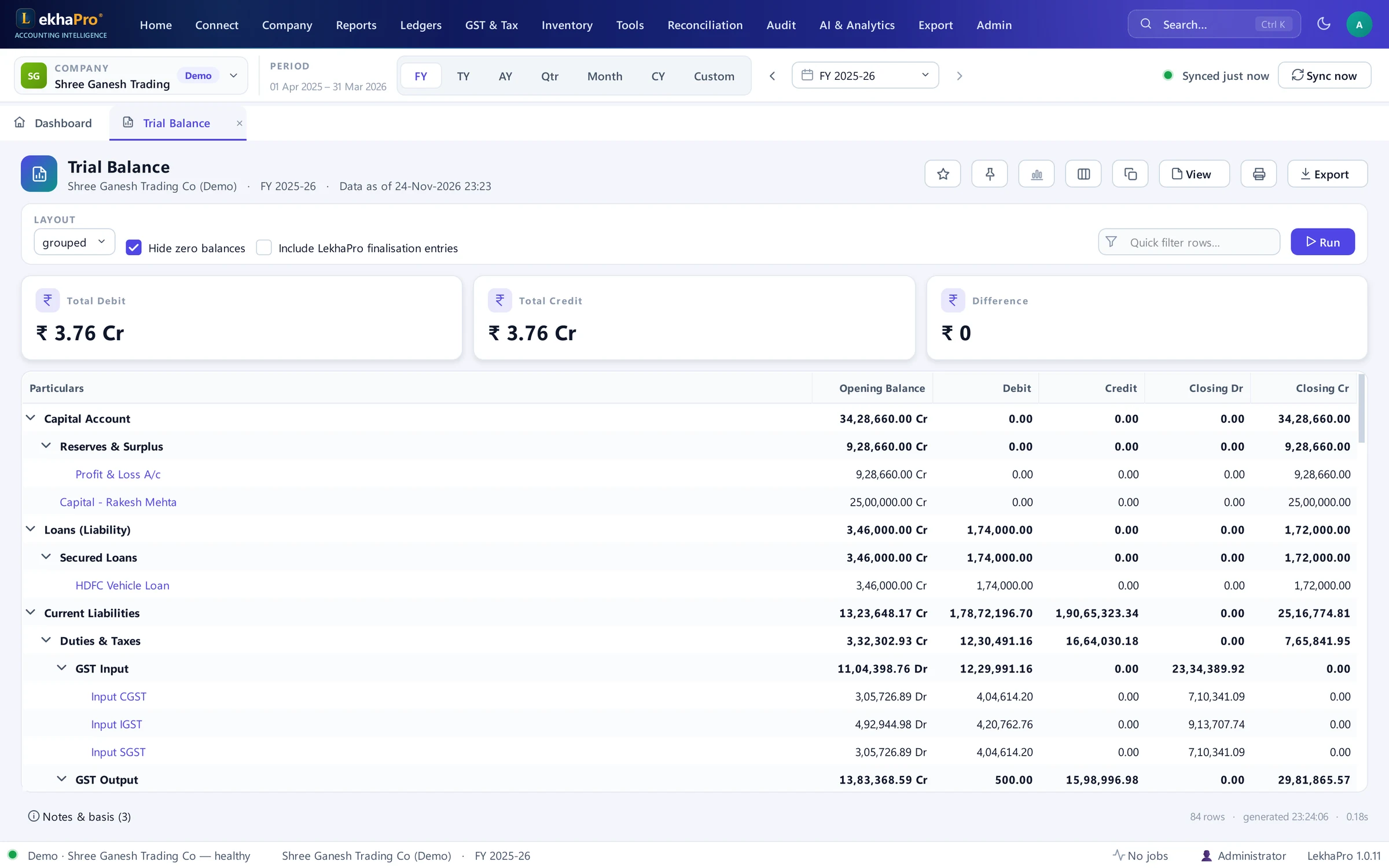
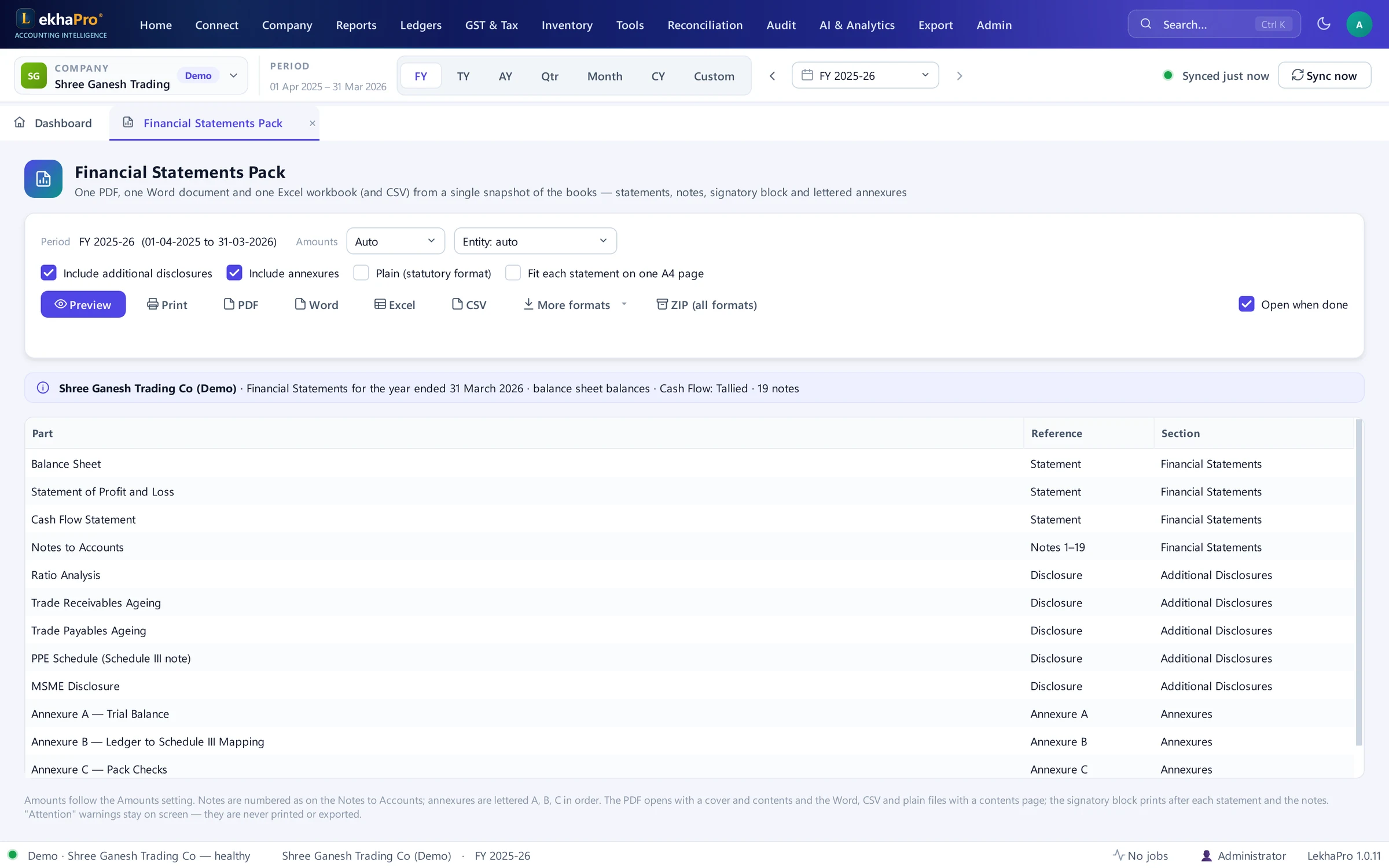
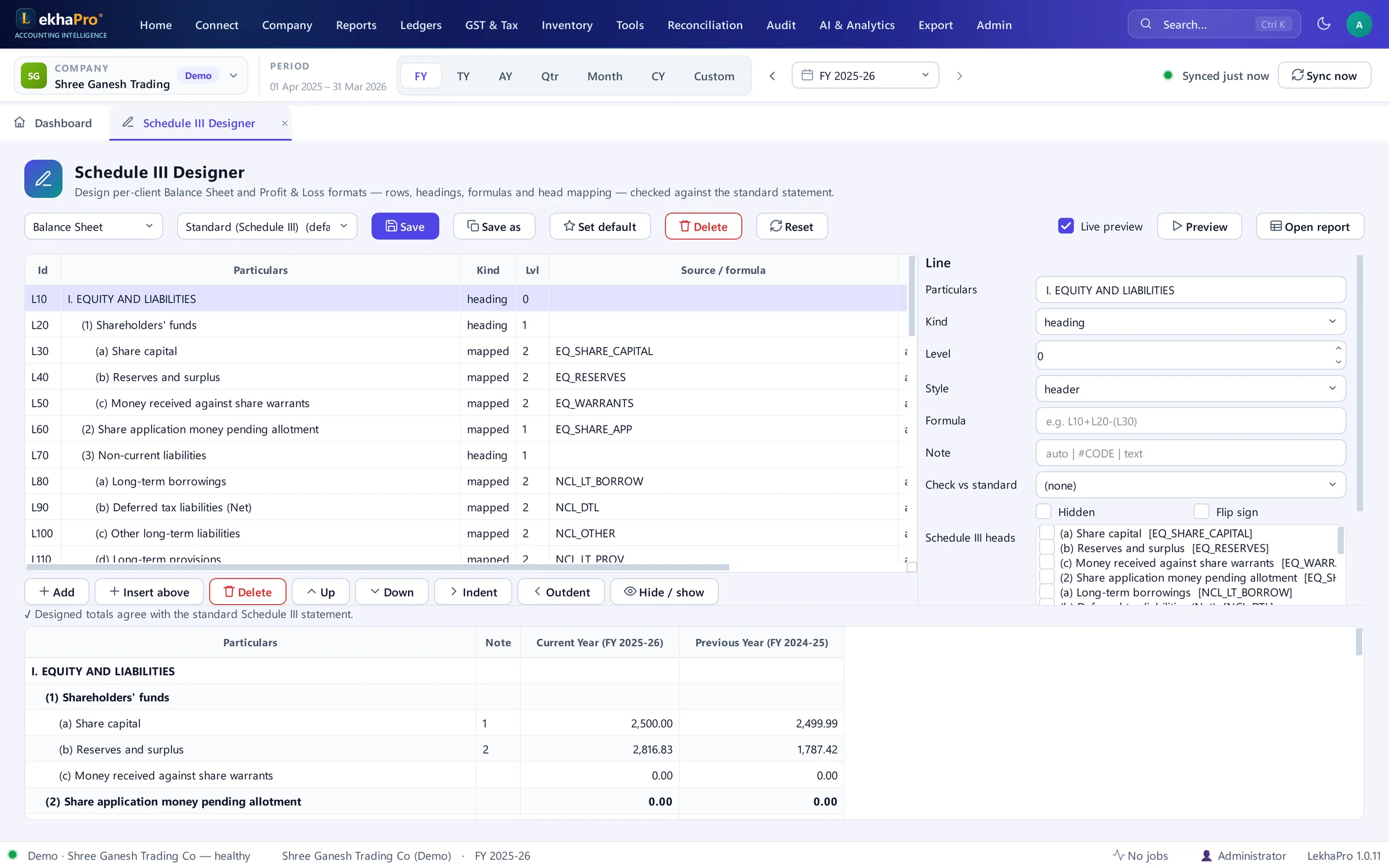
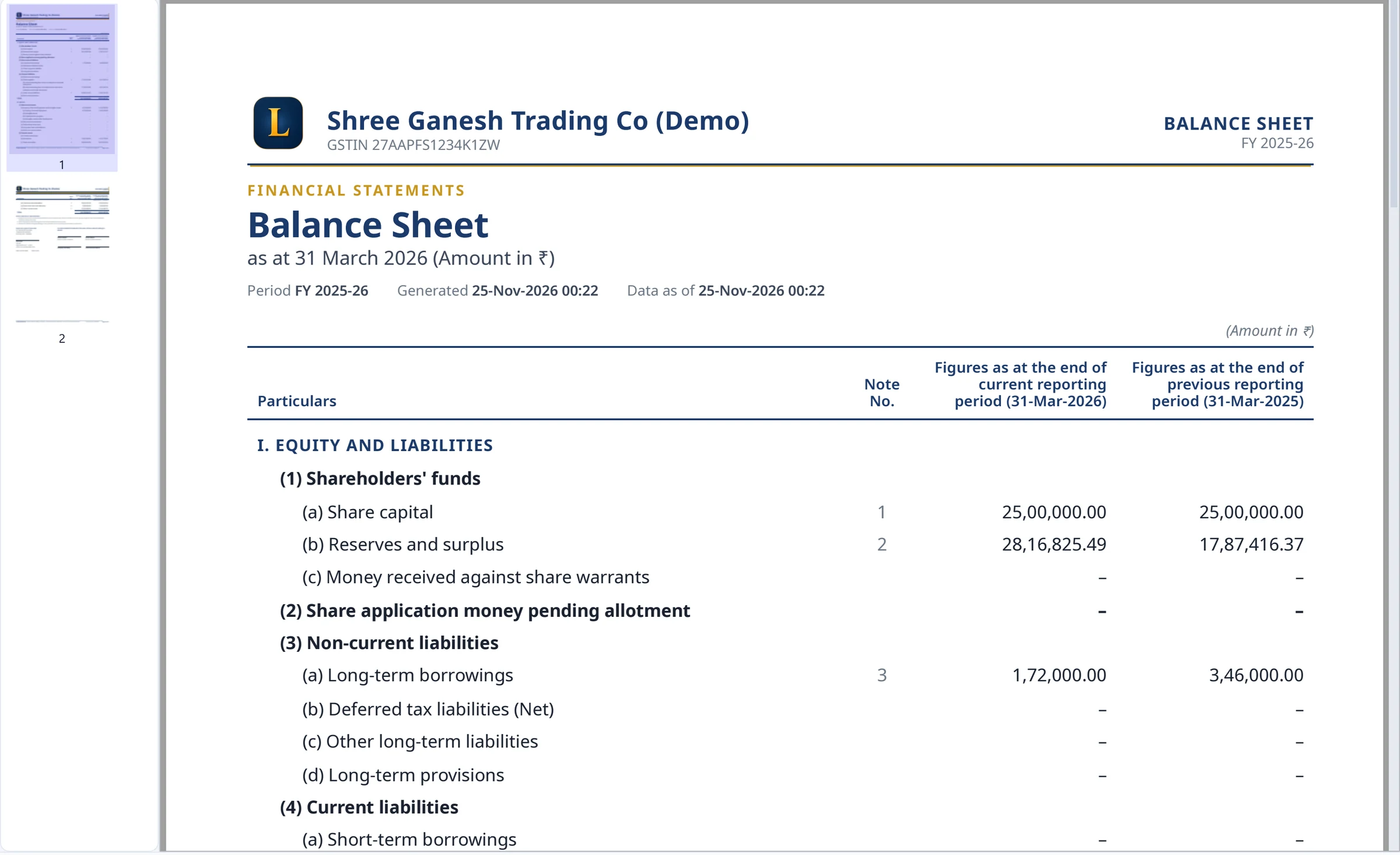
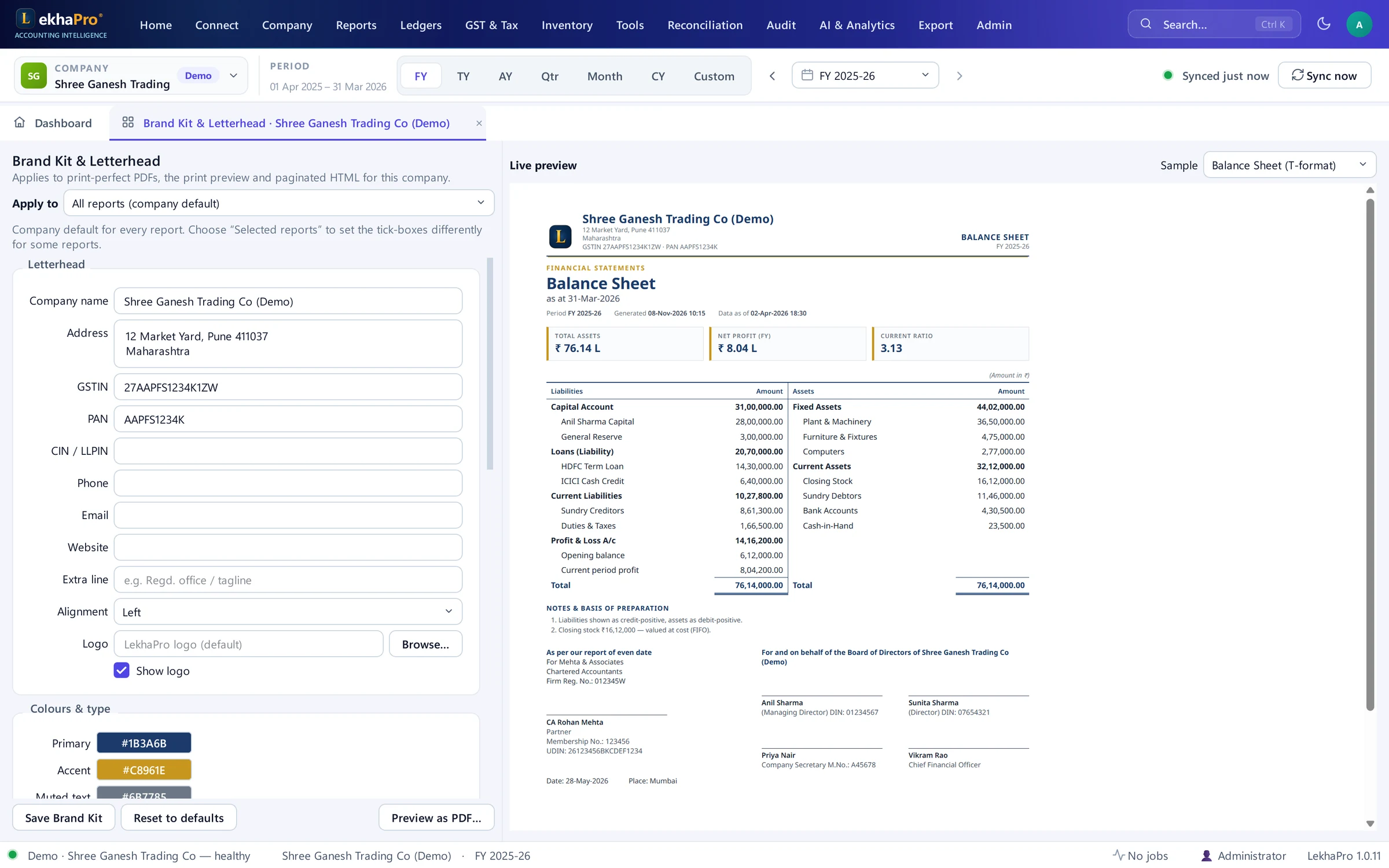
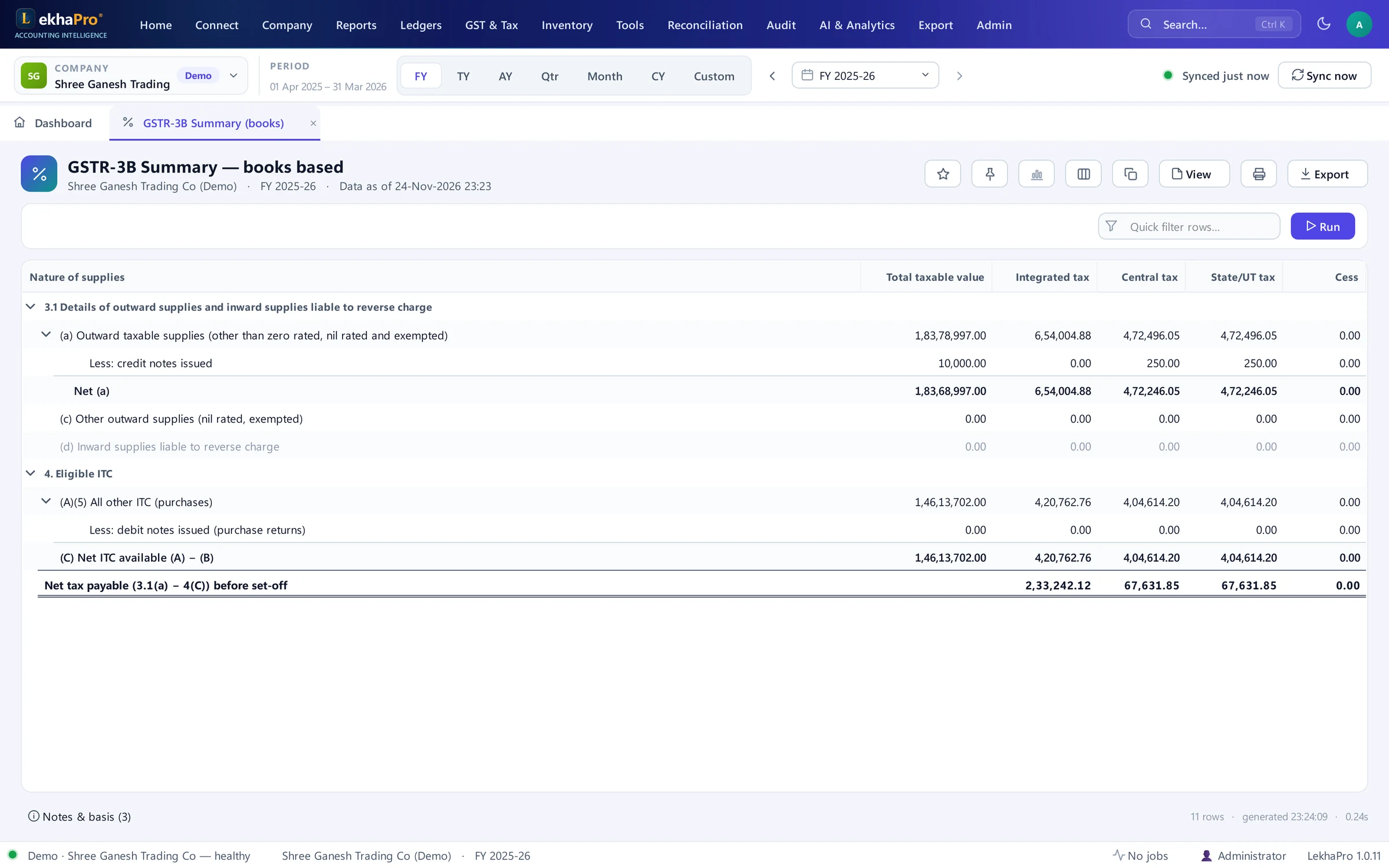
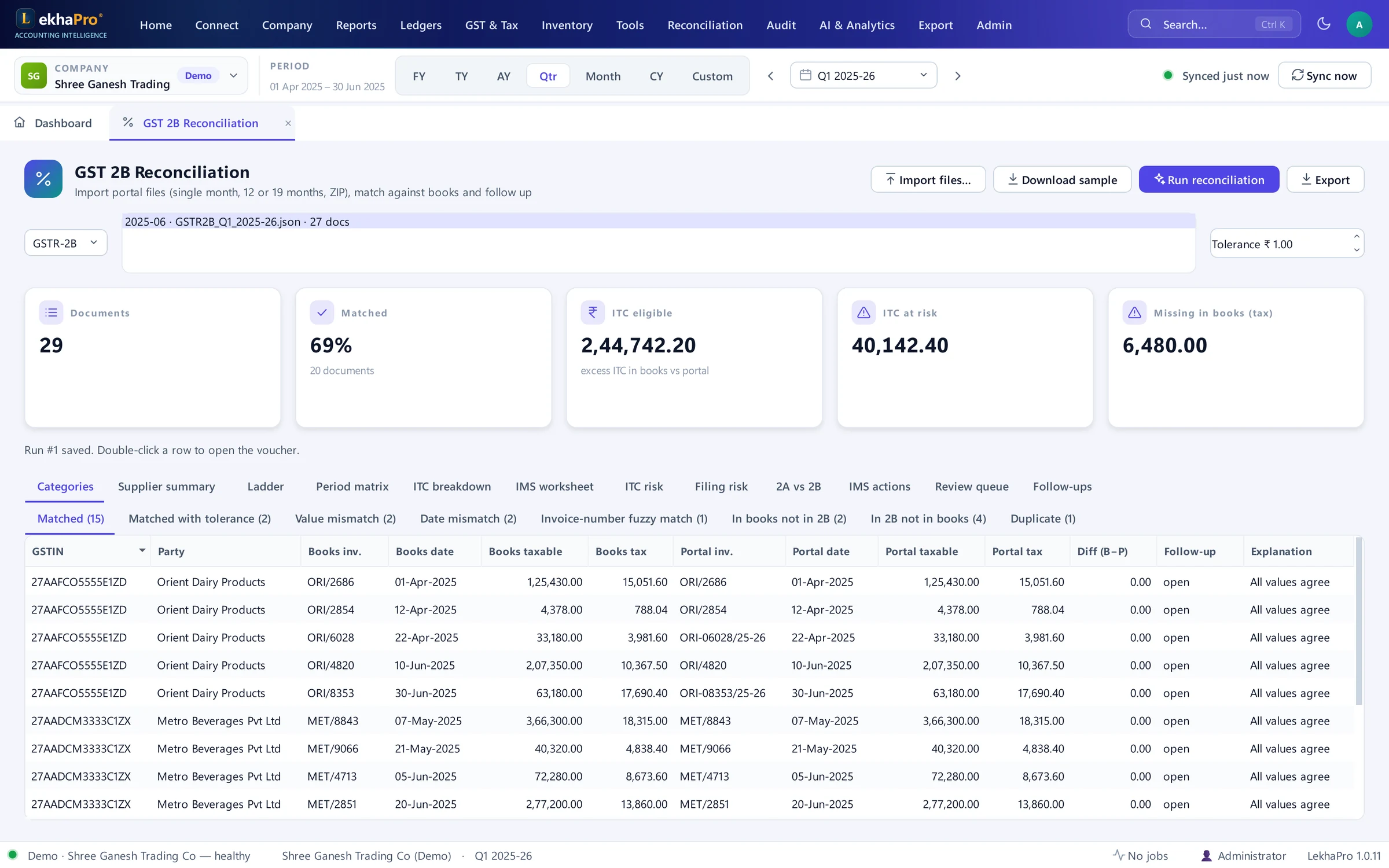
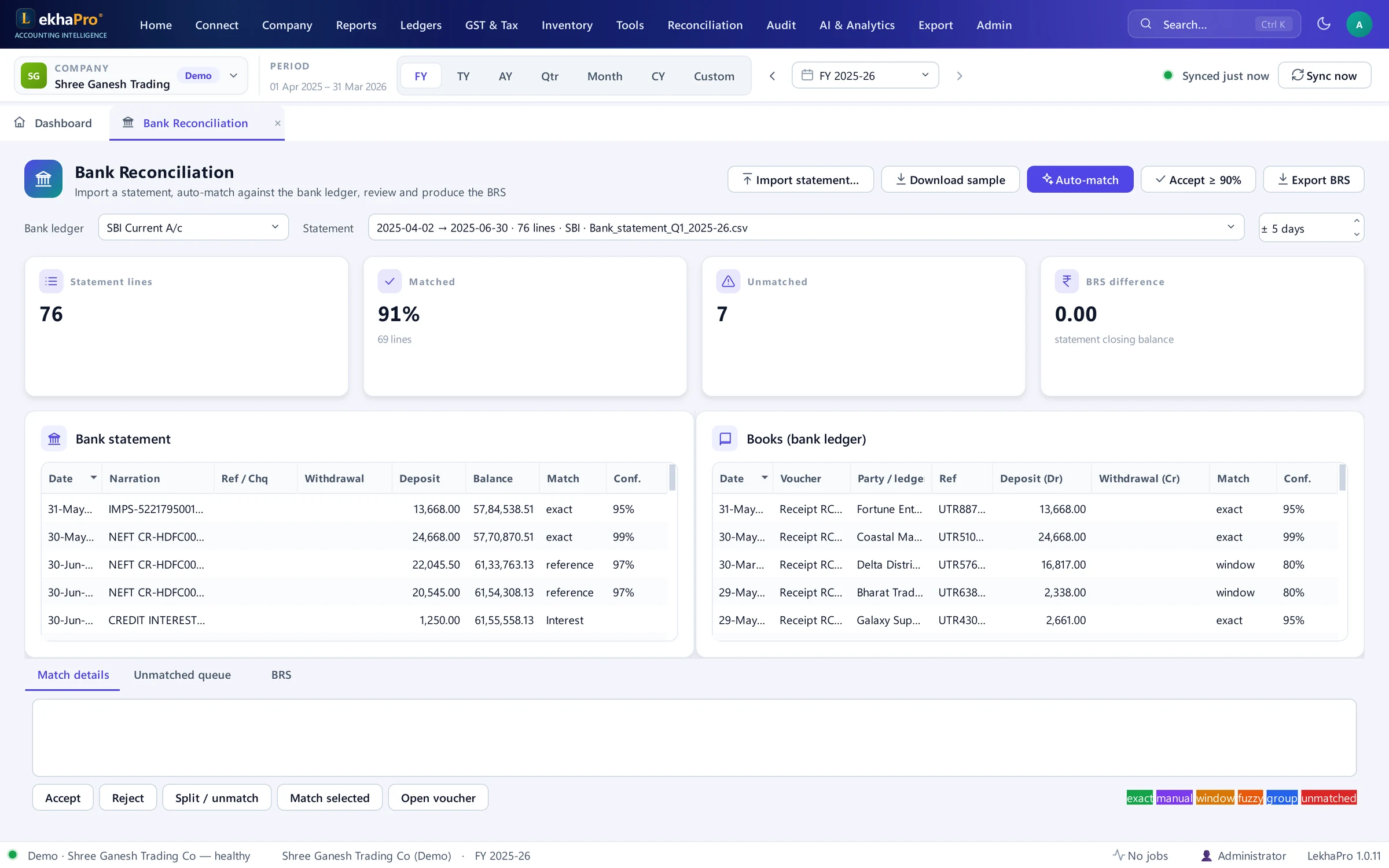
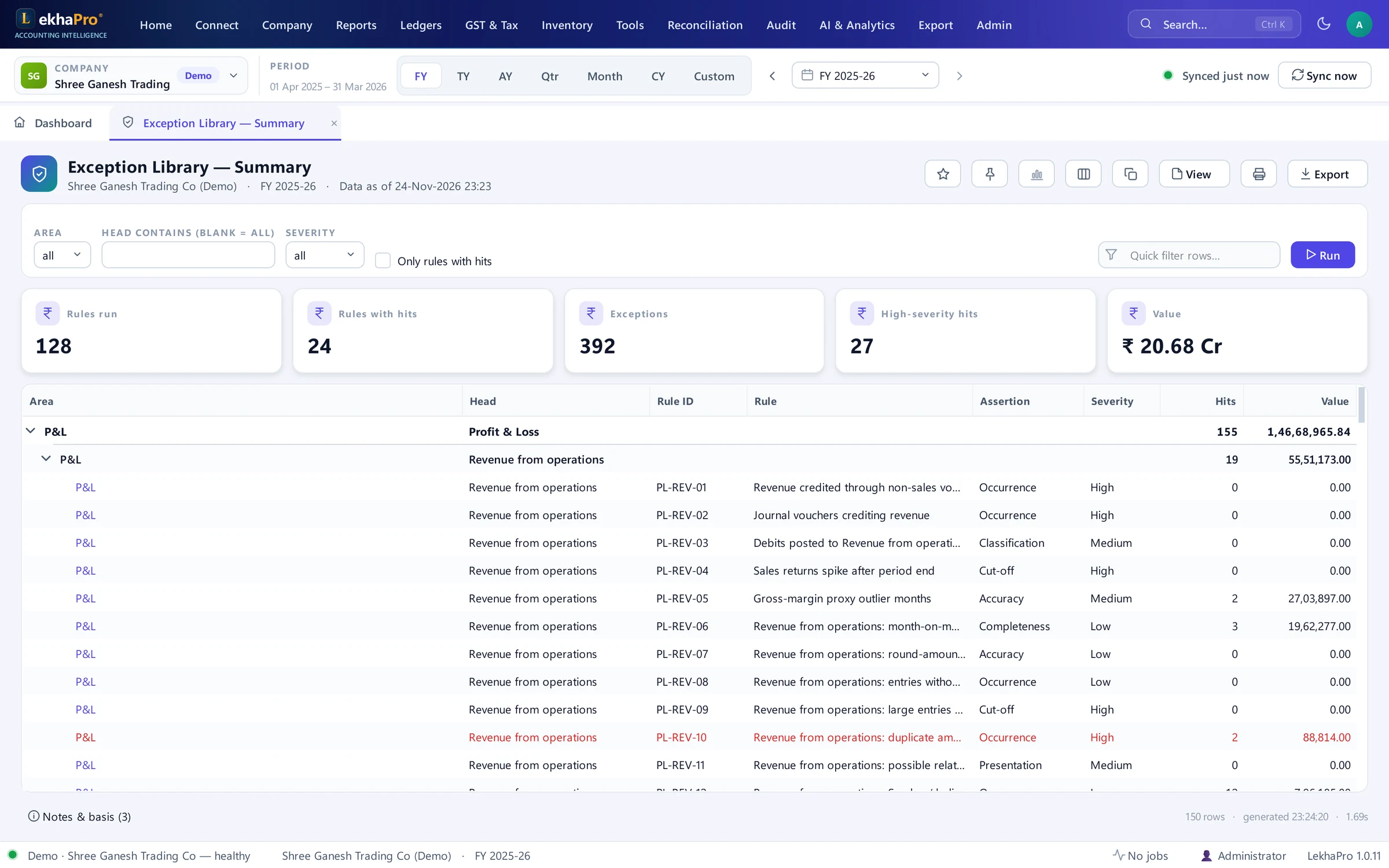
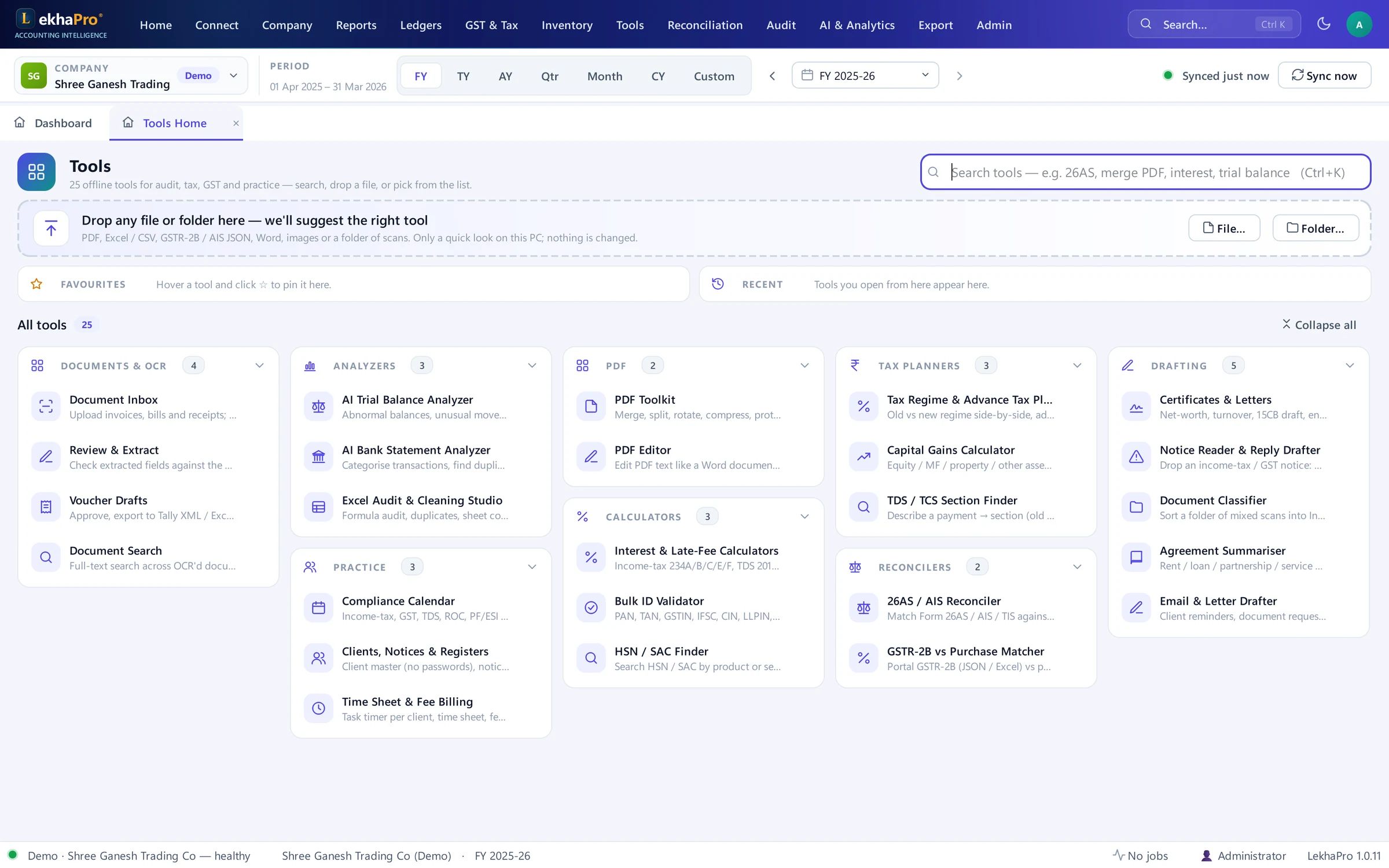
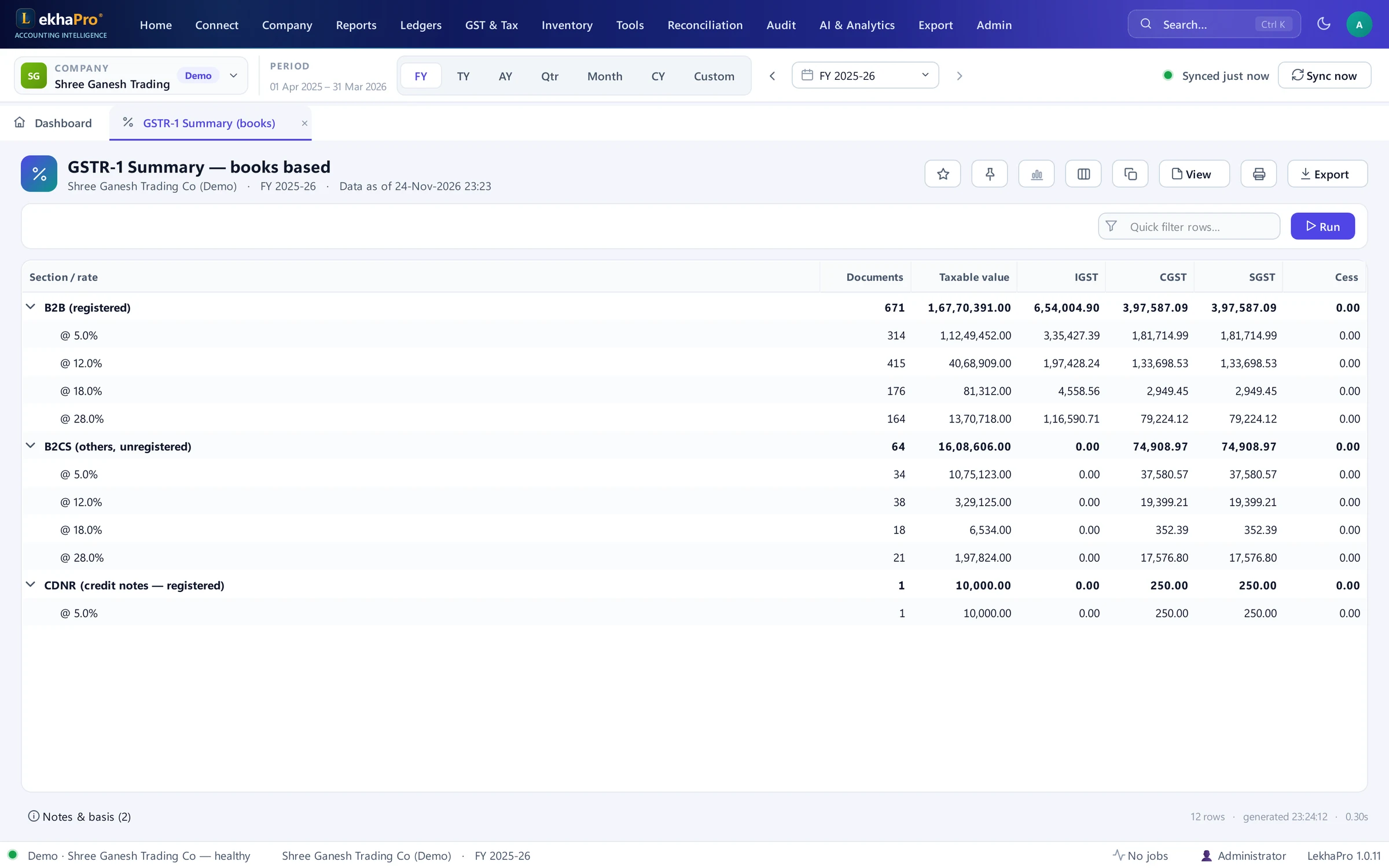
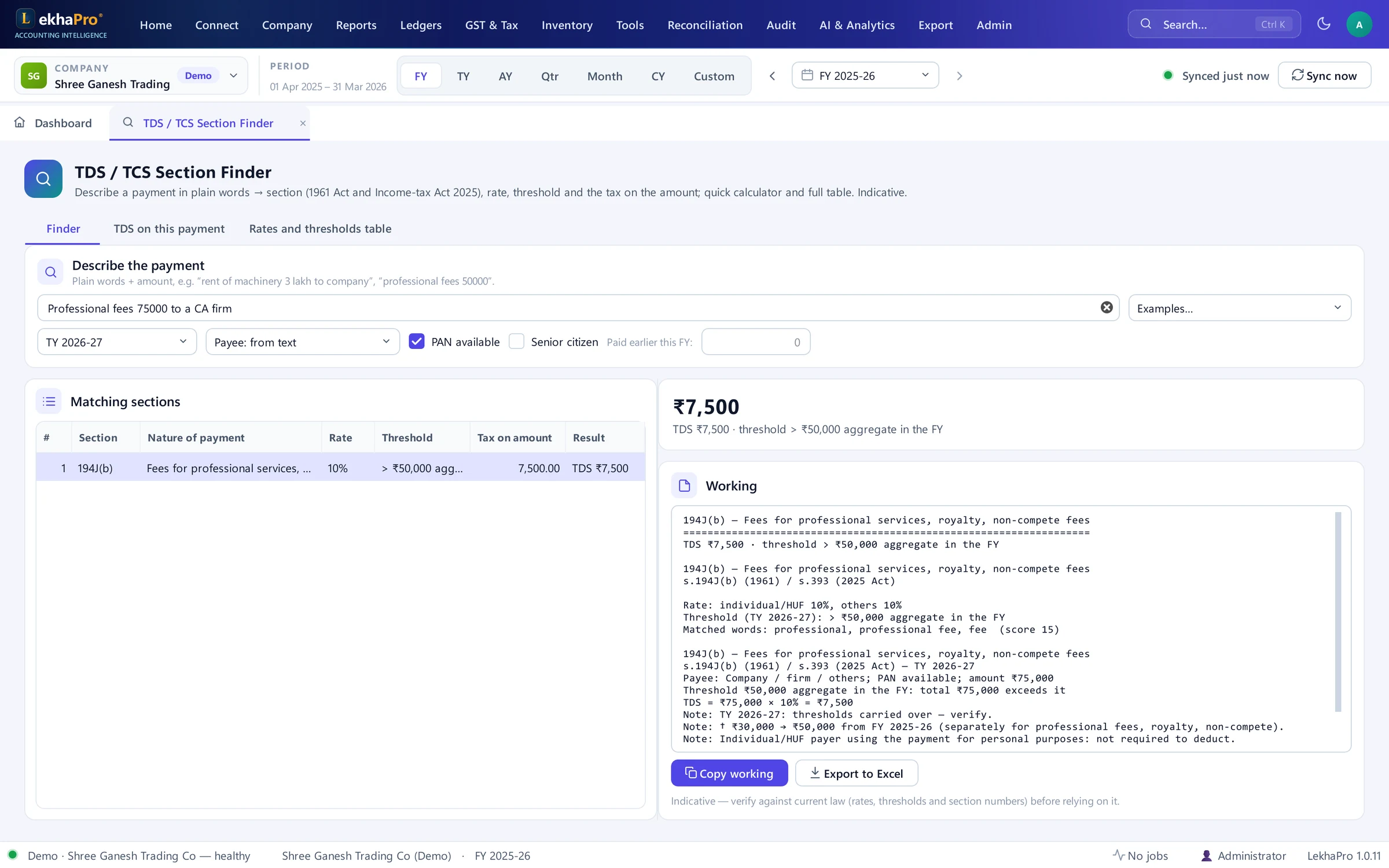
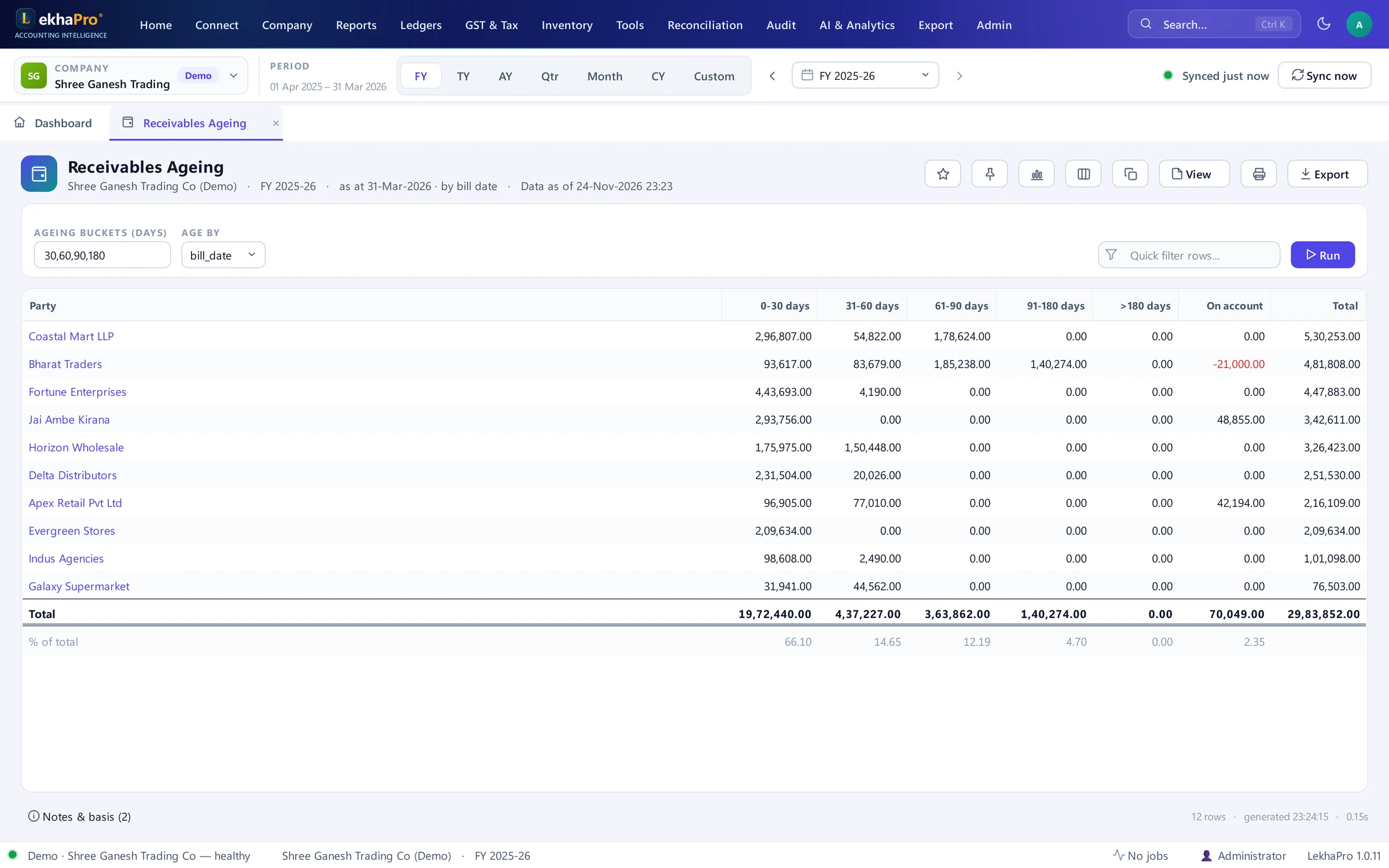
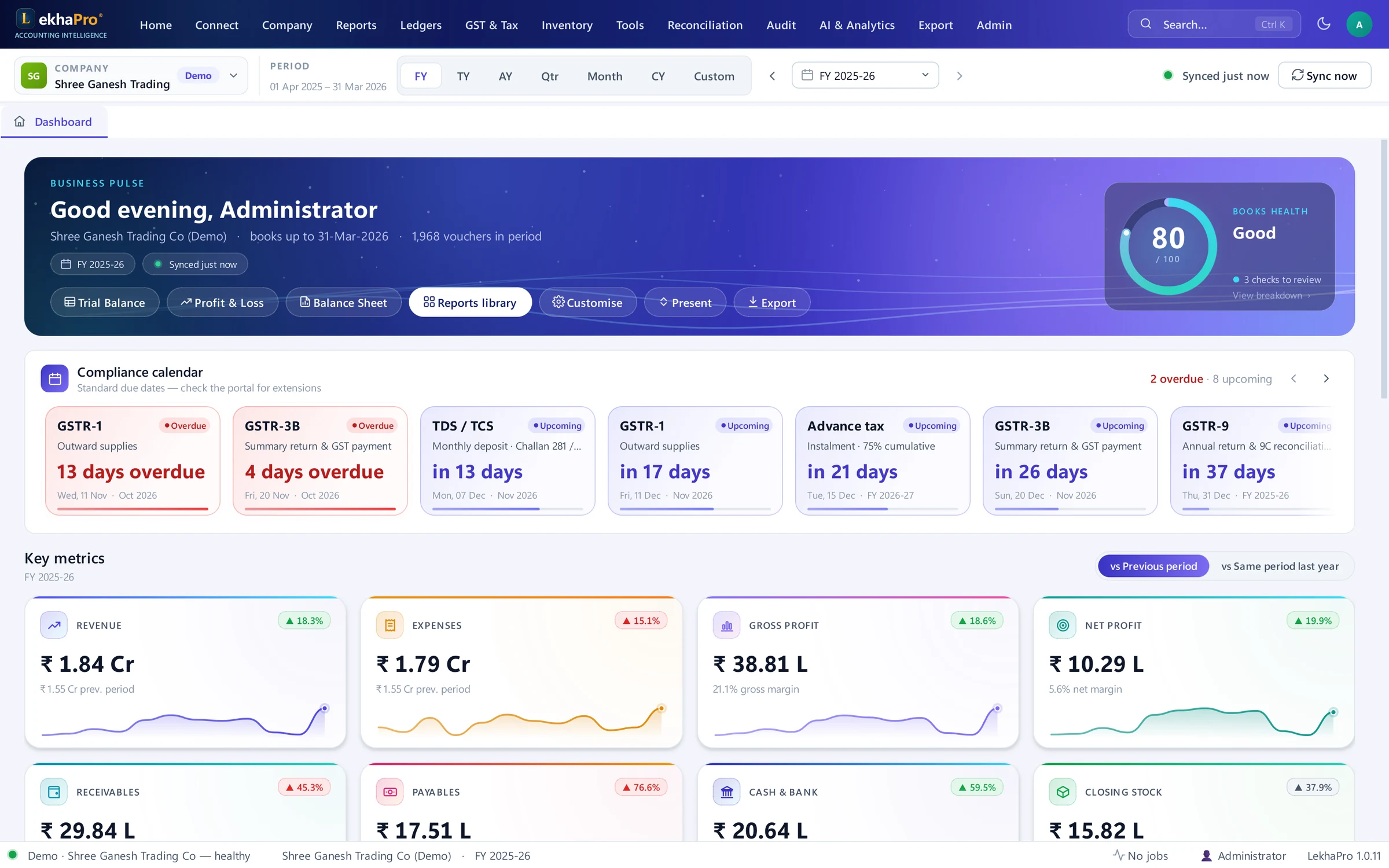
DashboardLekhaPro dashboard with business pulse, compliance calendar and key metrics
Workflow
From the client's books to the signed pack
One flow, whatever software the client uses. Every step reads the same data.
Books
- TallyPrime
- Tally.ERP 9
- BUSY
- MARG ERP
- EasySol
- Excel / CSV
- ODS / XML / JSON
Reads, checks and works from a local copy on your PC
Reports, returns, audit
- AI answerswith sources
- 225 reportsdrill to voucher
- Schedule IIIstatements and notes
- GST and TDS fileschecked first
- Reconciliations2B, 2A, IMS, bank
- Audit128 exception rules
- 1
Connect
Auto-detect the accounting software on the PC, or drop in files.
- 2
Check
Control totals and data coverage compared with the source books.
- 3
Reconcile
Bank, GSTR-2B / 2A, IMS and GSTR-1 against the books.
- 4
Finalise
Year-end entries kept beside the books, maker-checker with two or more users.
- 5
Report & file
Schedule III pack and portal files, checked before export.
- 6
Audit
128 exception rules, sampling and CARO 2020.
Feature film
See the real app at work
Recorded from the app with a fictitious sample company.
Compare
LekhaPro and doing it by hand
The same work, step by step.
| The work | LekhaPro | By hand in spreadsheets |
|---|---|---|
| Getting the data | Reads the books directly. They are not changed unless you approve a posting to Tally. | Export, clean and paste for every company and period. |
| Finding where a figure comes from | Click the total to open the ledger, then the voucher. | Follow cell links and filters by hand. |
| Changing the period | Pick another period and the open report runs again. | Export again and refresh the sheet. |
| GSTR-2B against purchases | Matched automatically, with fuzzy invoice numbers and ITC at risk. | Lookups. A number typed differently does not match. |
| Audit exception tests | 128 rules run on the books, tuned per company. | One filter or formula for each test. |
| Portal files | Made from the books and checked before export. | Fill the offline tool or the portal by hand. |
| A quick question | Ask in English or Hinglish. The answer names its source. | Build a pivot for each question. |
| Year-end entries | Kept beside the source books, with maker-checker for two or more users. | A separate working file to keep in step. |
Spreadsheets are still good for free-form working. LekhaPro exports its reports to Excel for that.
Solutions
Built for the way you work
CA firms & auditors
Finalise, reconcile and audit every client's books from one desk, whatever software they use.
Finance teams
Close the month, file on time and see cash, risk and margins without building spreadsheets.
Business owners
Know your dues, stock, profit and tax position from the books you already keep.
- Windows desktopInstalled on your PC
- Source books unchangedPosts to Tally only what you approve
- Daily work needs no internetWorks from its own local copy
- Data on your PCSent out only if you turn on online AI
In short
What LekhaPro is, in plain words
- LekhaPro Accounting Intelligence
- LekhaPro Accounting Intelligence is a Windows desktop application for Indian chartered accountants, auditors and finance teams. It reads books kept in TallyPrime, Tally.ERP 9, BUSY, MARG ERP, EasySol or Excel files and produces 225 reports, Schedule III statements, GST and TDS files, reconciliations and audit tests on the user's own PC.
- Source books
- The company data kept in the client's accounting software or files. LekhaPro reads it into a local copy and works from that copy. The source is never changed unless the user approves a posting to Tally.
- Built-in Ask
- A rules and intent engine on the PC that answers questions in English or Hinglish from the books and names the report behind the figure. It needs no internet and no API key.
- Online AI
- Optional use of Anthropic's Claude. It is off until the user turns it on, gives consent and enters the customer's own API key. It needs internet.
- Exception Library
- 128 audit rules that run on the books, with limits that can be tuned for each company. Hits are indicators for the auditor to review, not findings.
- Company (in a plan)
- Plans are chosen by the number of companies a licence covers. Every plan has the same features, with AI, Studio and CA Suite.
- Licence
- One licence works on one PC, for the number of companies and the period sold.
Facts
| Type | Desktop software, installed on the PC |
|---|---|
| Operating system | Windows 10 or later, 64-bit |
| Reads | TallyPrime, Tally.ERP 9, BUSY, MARG ERP, EasySol, Excel, CSV, ODS, XML and JSON |
| Reports | 225, in 8 groups |
| Audit exception rules | 128 |
| Tools | 21 CA tools and 4 document tools |
| AI | Built-in Ask on the PC; Claude online AI is optional, with consent and the customer's own API key |
| Writes to source books | Never, unless the user approves a posting to Tally |
| Internet | Not needed for daily work; needed for online AI |
| Pricing basis | Number of companies, for the months of the plan; one PC per licence; 18% GST extra |
| Maker | Global Synapse Technologies |
Questions
AI, data and your books
What is LekhaPro Accounting Intelligence?
LekhaPro Accounting Intelligence is Windows desktop software for Indian chartered accountants, auditors and finance teams. It reads books kept in TallyPrime, BUSY, MARG ERP, EasySol or Excel and produces 225 reports, Schedule III statements, GST files, reconciliations and audit tests. It answers questions about the books and names the source.
Is client data sent to an AI service?
Not by the built-in AI: it runs on your PC and sends nothing. Online AI (Claude) is optional and off by default. It needs your consent, your own API key and internet. Only the question, the recent chat and the figures it looks up go to Anthropic, never the database.
If you use online AI to read a document, the page images you choose are sent. A reply with a figure that is not found in your books is withheld.
Does LekhaPro change my Tally, BUSY or MARG data?
No. LekhaPro reads the source books and works from its own local copy on your PC. Your source books are never changed unless you approve a posting to Tally. Year-end and audit entries are kept beside the books, so statements can include them without altering the original company data.
BUSY files are copied before they are opened, MARG and Tally data folders are opened only for reading, and a posting to Tally shows a preview first.
Does LekhaPro work offline?
Yes. LekhaPro is installed on a Windows PC and daily work needs no internet. Reports, reconciliations, audit rules, offline OCR and the built-in Ask run on the PC from its local copy of the books. You need internet for online AI, if you choose to use it, and for app updates.
Do I need an API key to use the AI?
No. The built-in AI needs no API key and no internet. Ask Your Accounts, the AI CFO summary, anomaly ranking, forecasts and the daily briefing run on your PC. An API key is needed only for optional online AI: it is your own Claude key, stored encrypted on your PC.
How do I check a figure that the AI gives?
Open the report that the answer names and drill down to the ledger and the voucher. The built-in Ask takes its figures from your books. If an online AI reply contains a figure that is not found in your books, LekhaPro withholds that reply and answers from the books instead.
Is LekhaPro a replacement for Tally or BUSY?
No. Keep recording vouchers in your present accounting software. LekhaPro reads those books and adds reports, Schedule III statements, reconciliations, portal files and audit tests on top. Nothing has to be migrated, and one LekhaPro installation can work with books from different accounting software side by side.
See it on your own client's books
Ask for a personalised demo for your practice or finance team.