Features
One workflow from books to reports
Work of a CA, auditor or finance team in one Windows desktop application, with AI that answers from the books.
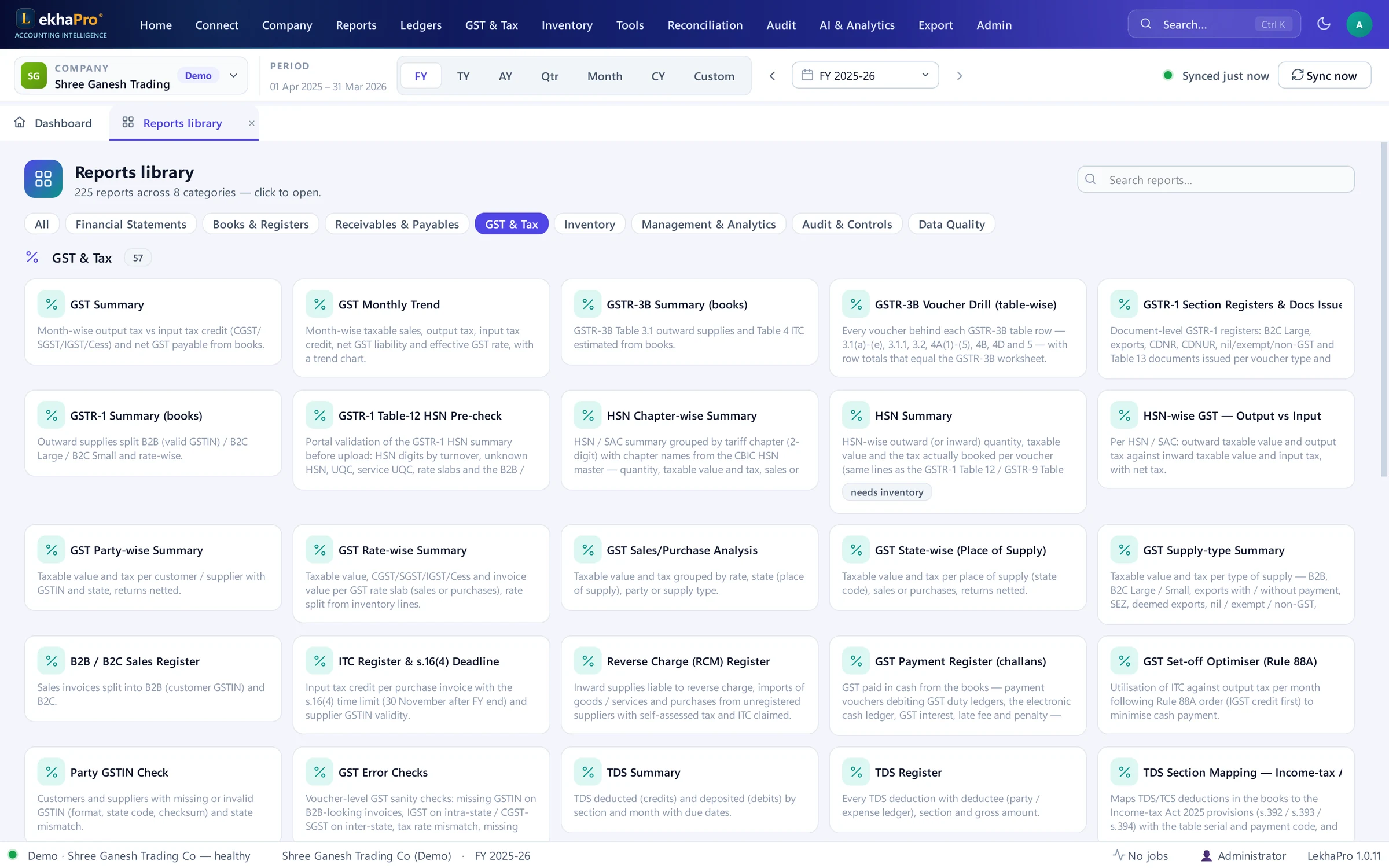
- 225225ready reports
- 128128audit exception rules
- 2121CA tools + 4 document tools
- 88AI personas
Feature groups
Connect
Auto-detect, live or file. Any company, any period.
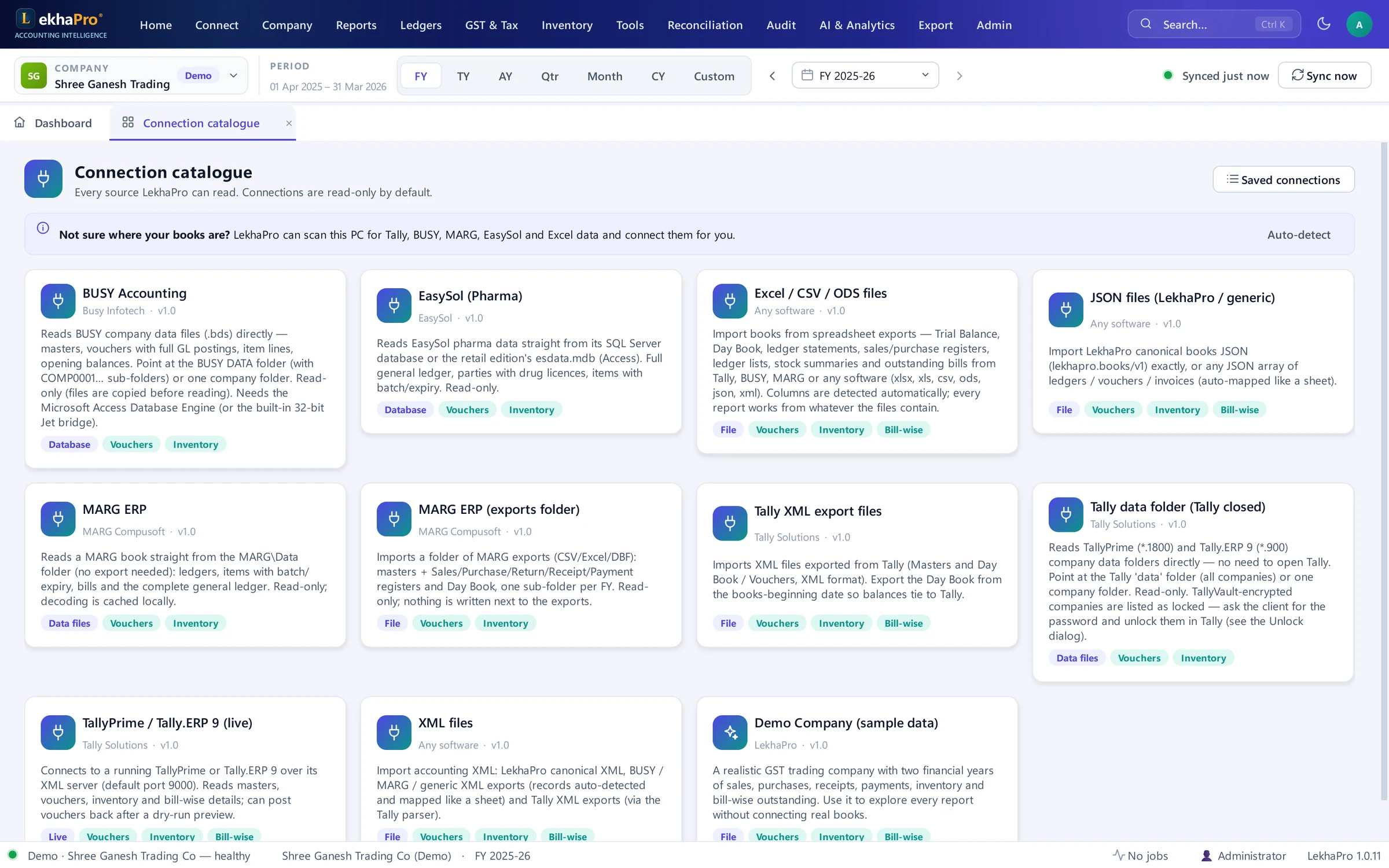
- Finds accounting software and company data on this PC
- TallyPrime / Tally.ERP 9 live, or the data folder with Tally closed
- BUSY, MARG ERP and EasySol without exporting first
- Two-year trial balance import for any other software
- FY, AY, TY, quarter, month or custom range
Statements & Books
Schedule III, notes, designer and multi-year comparatives.
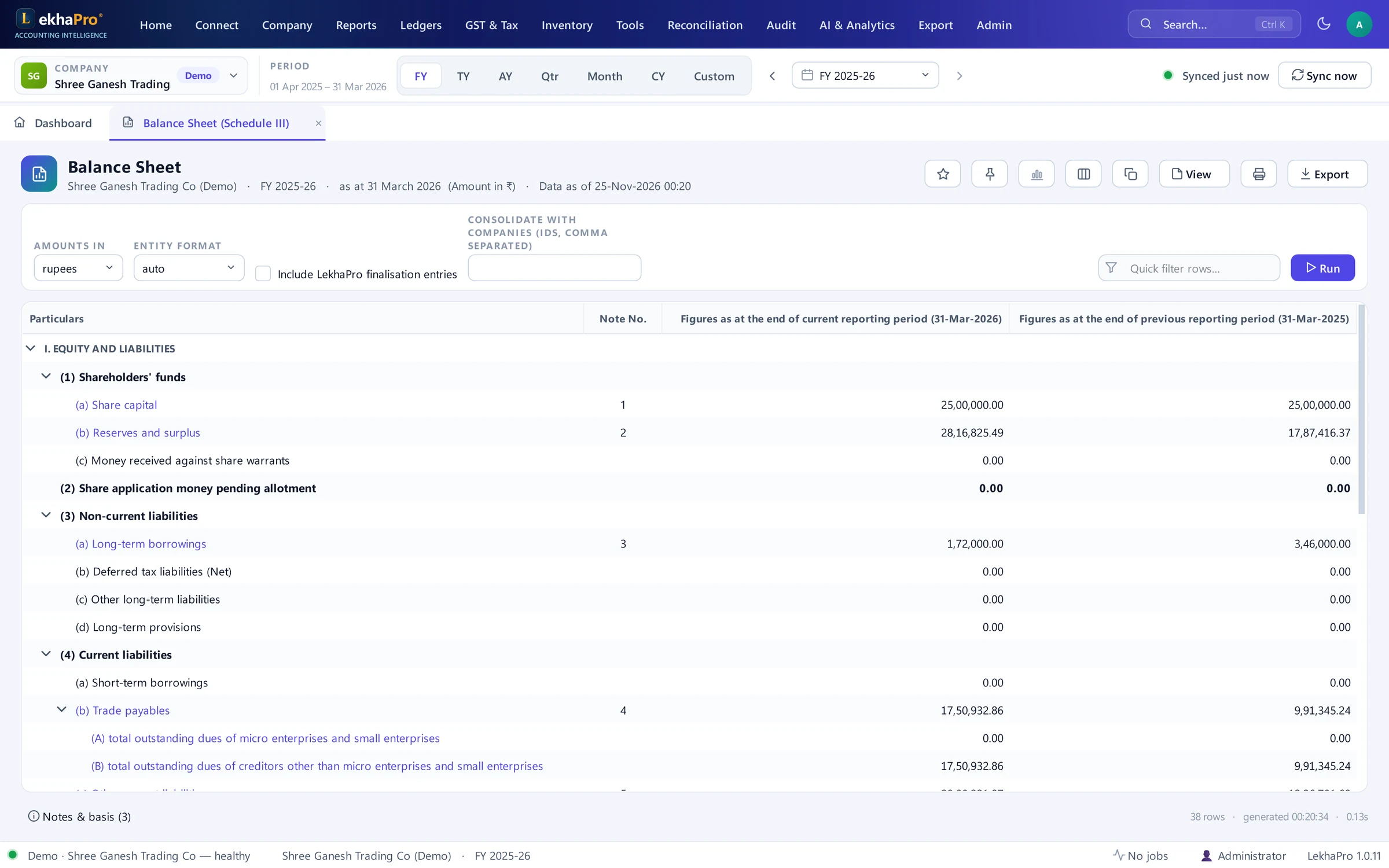
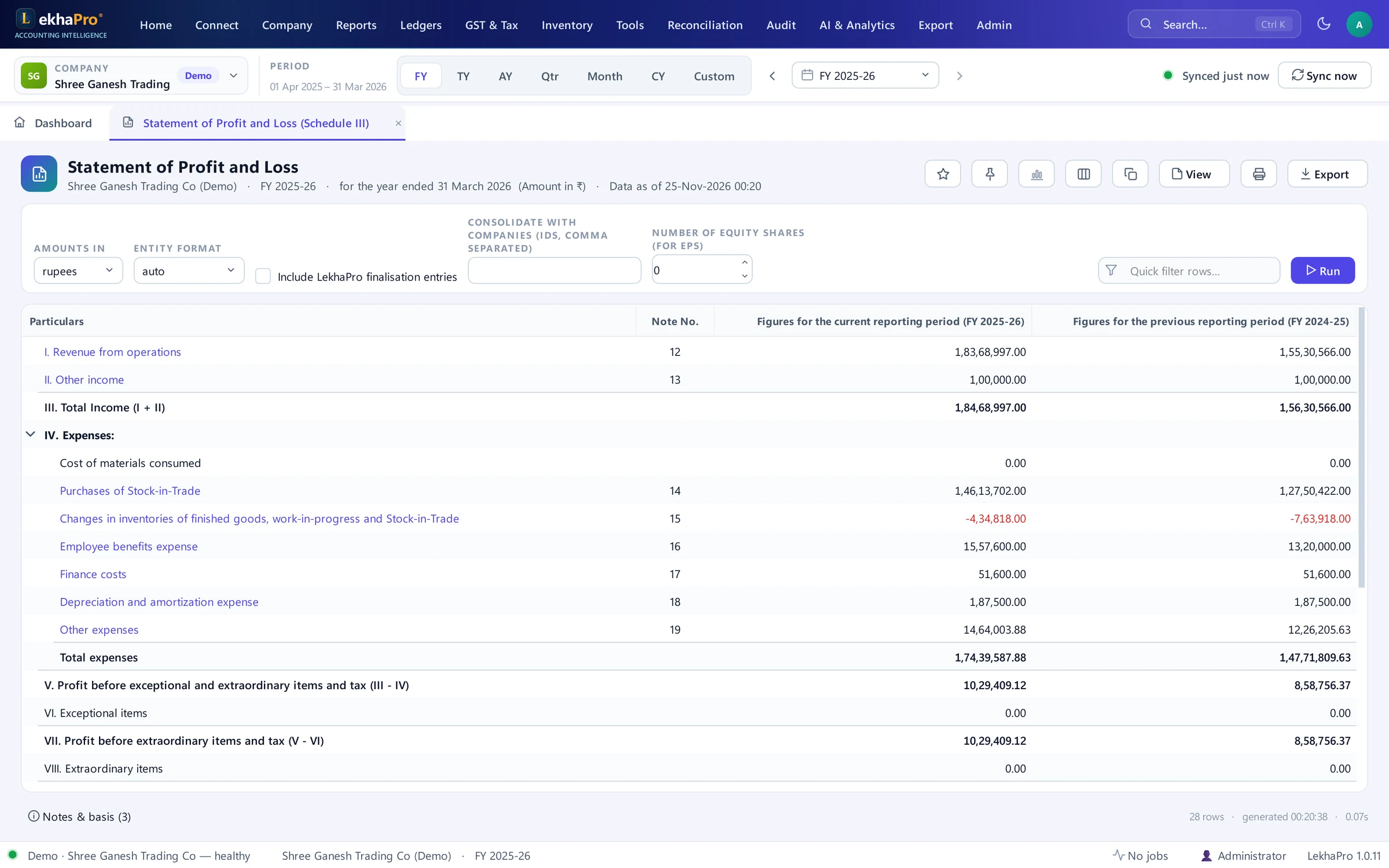
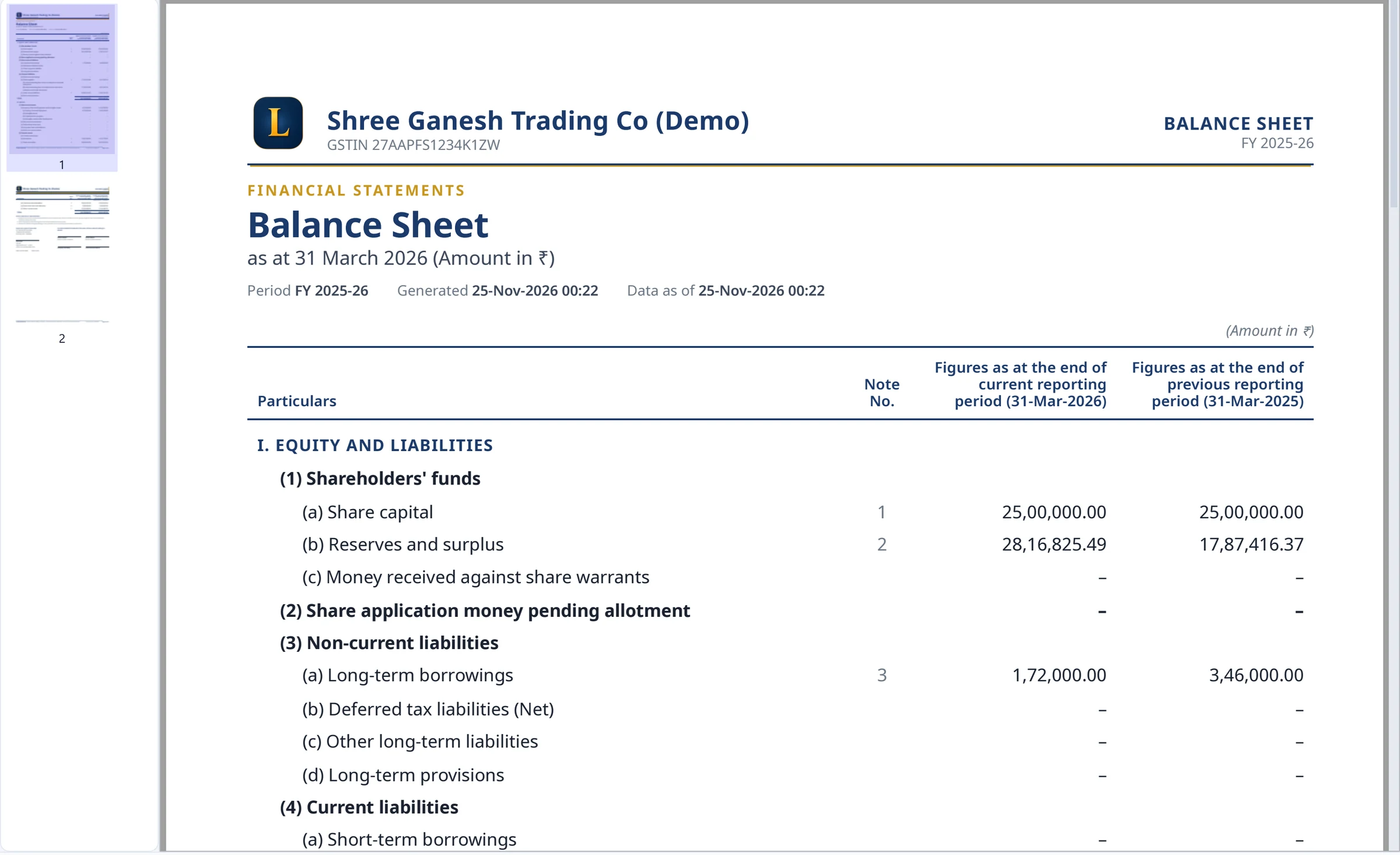
- Schedule III Balance Sheet and P&L with the previous year
- Notes to accounts, ageing, MSME disclosure and ratios
- Cash flow (indirect and direct) and funds flow
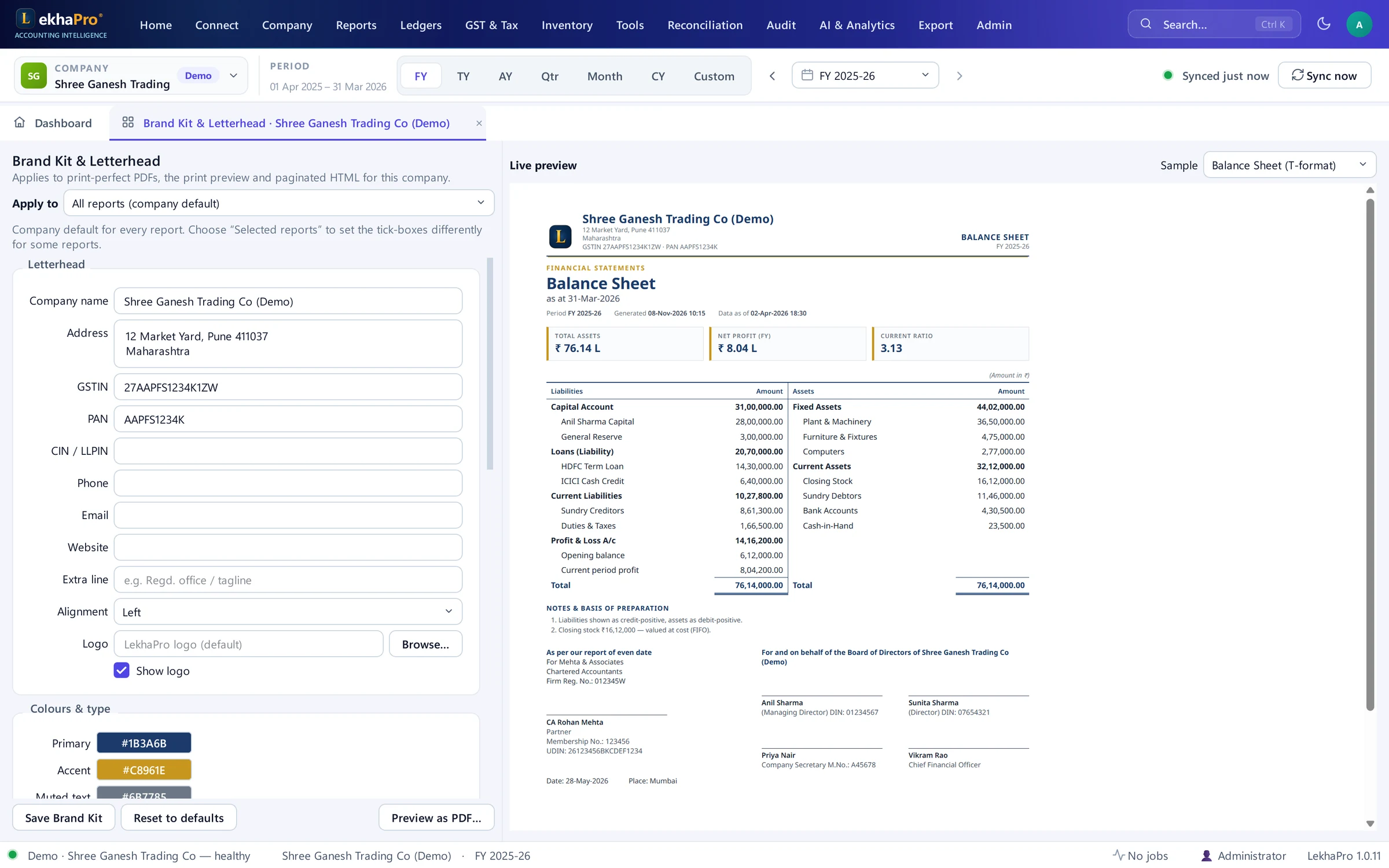
- Schedule III Designer with a live preview per client
- Multi-year analysis: trends, growth and ratios
GST & Portal Files
GSTR-1, 3B, 9, e-invoice, TDS and more, checked first.
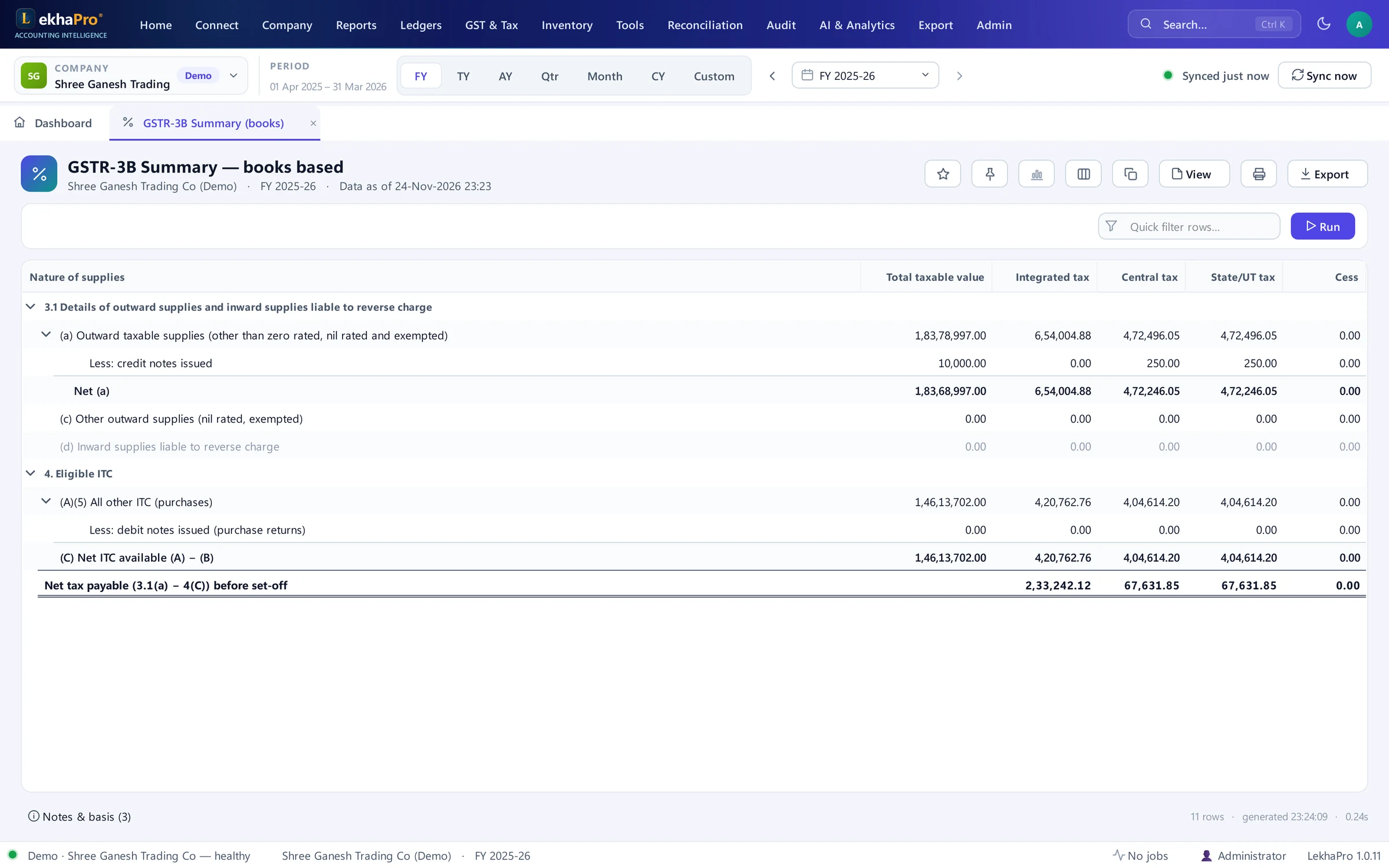
- GSTR-1 portal JSON and Offline Tool Excel, GSTR-3B JSON
- GSTR-9 annual return and 9C worksheet
- E-invoice and e-way bill bulk files
- TDS 26Q / 24Q statement data, Form 3CD clause data, ITR Part A-BS / P&L
- AOC-4 draft, MSME Form-1 and compliance calendar
Reconciliation
Bank, GSTR-2A / 2B, IMS and GSTR-1.
- Bank reconciliation with auto-match and BRS
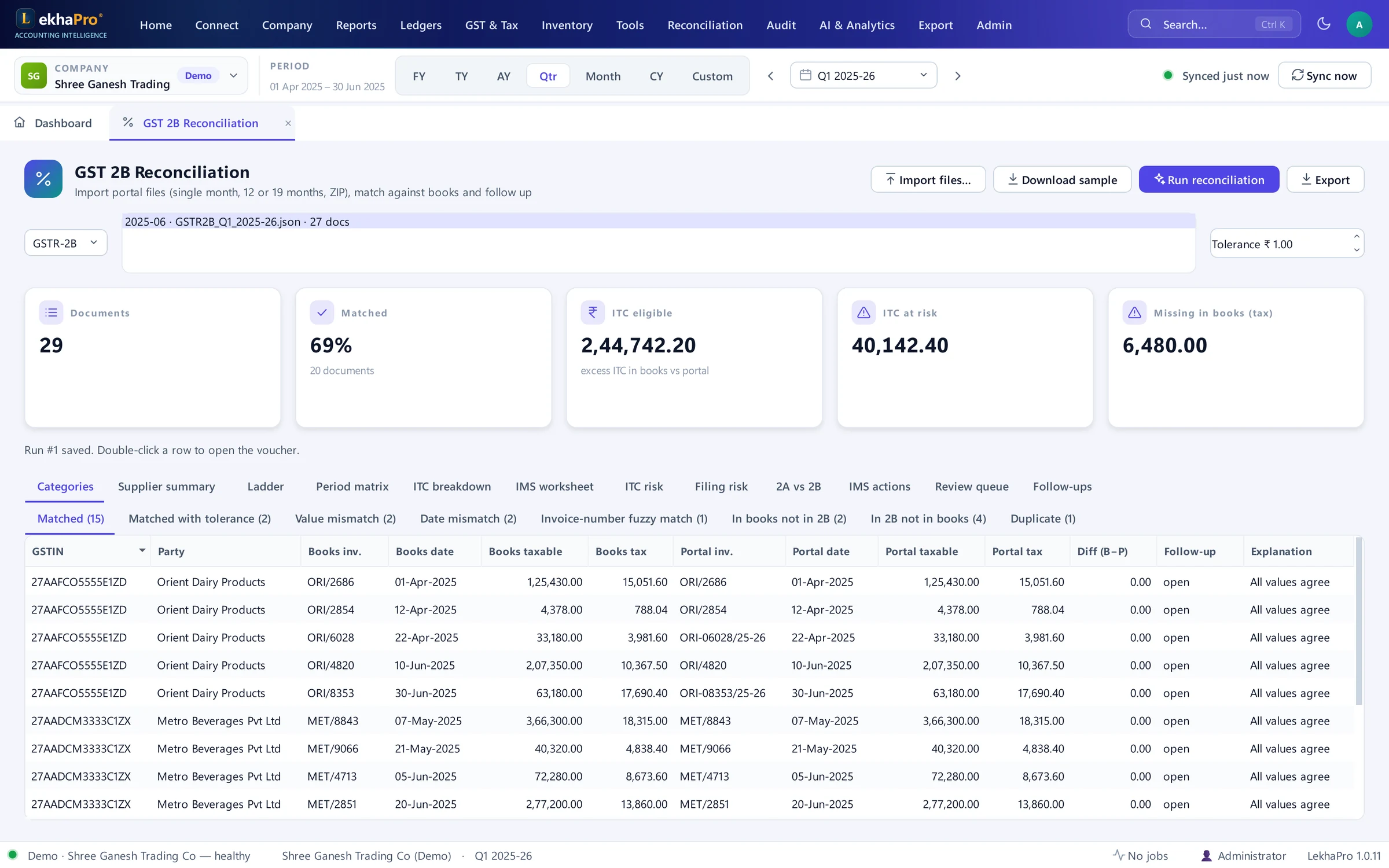
- Books vs GSTR-2B / 2A with fuzzy invoice numbers
- IMS worksheet: accept, reject or pending
- Filed GSTR-1 compared with the sales books
- ITC at risk and supplier follow-up letters
Year-end & Assets
Finalisation entries, fixed asset register and tax.
- Finalisation entries kept outside the source books, maker-checker with two or more users
- Year-end readiness checklist
- Fixed Asset Register reconciled to the ledger
- Companies Act and Income-tax depreciation
- Salary tax (old vs new regime), budgets and forecast
Audit
128 exception rules, sampling, CARO and engagements.
- Exception Library of 128 rules, tuned per company
- 40A(3), 269ST, duplicates, back-dated entries, Benford
- Sampling rules (SA 530) and differences (SA 450)
- CARO 2020 builder and observations register
- Anomaly Centre ranks unusual transactions
Documents & OCR
Bills to voucher drafts, read on your own PC.
- Offline OCR for invoices, bills and receipts
- GSTIN, invoice number, date, value and tax extracted
- Confidence score and position on the page
- Duplicate-bill check before booking
- Approved drafts to Tally XML or Excel
AI & Analytics
Ask your accounts, forecasts, MIS and Report Studio.
- Answers from the company's own books, with sources
- Eight personas, with full effect when online AI is on
- Daily briefing, forecasts and what-if scenarios
- Pivot tables and charts in Report Studio
- Built-in AI on your PC; online AI is optional and needs your consent and API key
CA Tools
21 CA tools + 4 document tools.
- PDF toolkit and PDF editor
- Interest, late-fee and capital gains calculators
- 26AS / AIS and GSTR-2B matchers
- Notices, UDIN, DSC and fee billing registers
- Certificates, letters and agreement summaries
Reports
225 ready reports
No report to design and no template to set up. Pick the company and period and open any report.
25 reports in Books & Registers
Books & Registers 25
Day Book
Every voucher in the period in date order.
Ledger Statement
Ledger account with opening balance, running balance, contra ledger, narration and drill to voucher.
Cash Book
All Cash-in-Hand ledgers combined with running balance.
Bank Book
Bank ledger statement (one bank or all banks).
Bank Account Summary
Each bank / cash account: opening, receipts, payments, closing and monthly movement.
Cheque / Instrument Register
Bank receipts and payments with instrument / reference numbers.
Bank Master Report
Every bank transaction with party, mode, instrument, reference, cheque clearing status (from Bank Reconciliation), cost centre, receipt / payment and running balance; filterable.
Daily Bank & Cash Summary
Day-wise receipts, payments and closing balance of all cash & bank accounts.
Bank Monthly Summary
Month-wise opening, receipts, payments, net movement and closing balance — one bank or all banks.
Voucher Register
Vouchers filtered by voucher type.
Journal Register
Journal vouchers with their debit and credit lines.
Receipt Register
Receipt vouchers with mode (Cash / Bank / UPI / Cheque), instrument, bank / cash account and bills settled.
Payment Register
Payment vouchers with mode (Cash / Bank / UPI / Cheque), instrument, bank / cash account and bills settled.
Group Vouchers
All vouchers touching ledgers of a group (Tally 'Group Vouchers').
Sales Register
Sales vouchers with customer GSTIN, place of supply, order, e-way bill, IRN, taxable value, GST split, round-off and grand total.
Purchase Register
Purchase vouchers with supplier GSTIN, place of supply, order, e-way bill, IRN, taxable value, GST split, round-off and grand total.
Credit / Debit Note Register
Credit notes (sales returns) and debit notes (purchase returns) with GST split.
Sales by Voucher Type
Sales, returns and other voucher types summarised by month.
Expense Register
Expense vouchers line-wise: expense head, vendor, taxable value, GST (ITC), total and an ITC eligibility screen for blocked credits u/s 17(5).
Payment Advice
Supplier payments in the period with the bills settled (for remittance advice).
Cost Centre Summary
Income and expenses by cost centre (when the source records cost centres).
Voucher Detail
One voucher with header, ledger entries and inventory lines (drill target).
Fixed Asset Register
Asset-wise register: gross block, Schedule II depreciation, accumulated depreciation, net block, profit/(loss) on sale.
Voucher Edit History (Alterations)
Vouchers altered after entry, from Tally AlterID / MasterID: altered after later vouchers were entered, and altered / entered after their month was closed.
Bank Reconciliation Statement
Balance as per books reconciled to balance as per bank: unpresented cheques, uncleared deposits and bank-only entries, with the difference.
Integrations
Works with the books you already keep
No migration. Your source books are never changed unless you approve a posting to Tally.
TallyPrime / Tally.ERP 9
Live or data folderReads a running Tally, or the company folder with Tally closed. Posts back only vouchers you approve after a preview.
BUSY
DirectReads a copy of BUSY data files: masters, vouchers and inventory.
MARG ERP
DirectReads the MARG data folder: masters, vouchers and stock.
EasySol
DirectReads accounting and inventory data from SQL Server or Access.
Excel / CSV / ODS / XML / JSON
File importTrial balance, day book or ledger export. Columns are mapped automatically and the mapping is saved.
Trial Balance import
Two-yearFor any other software: load current and previous year and go straight to reports.
Product names belong to their owners and are used only to say what LekhaPro can read.
Screens
Real screens, sample data
Click the screen in the laptop to see it in full size.
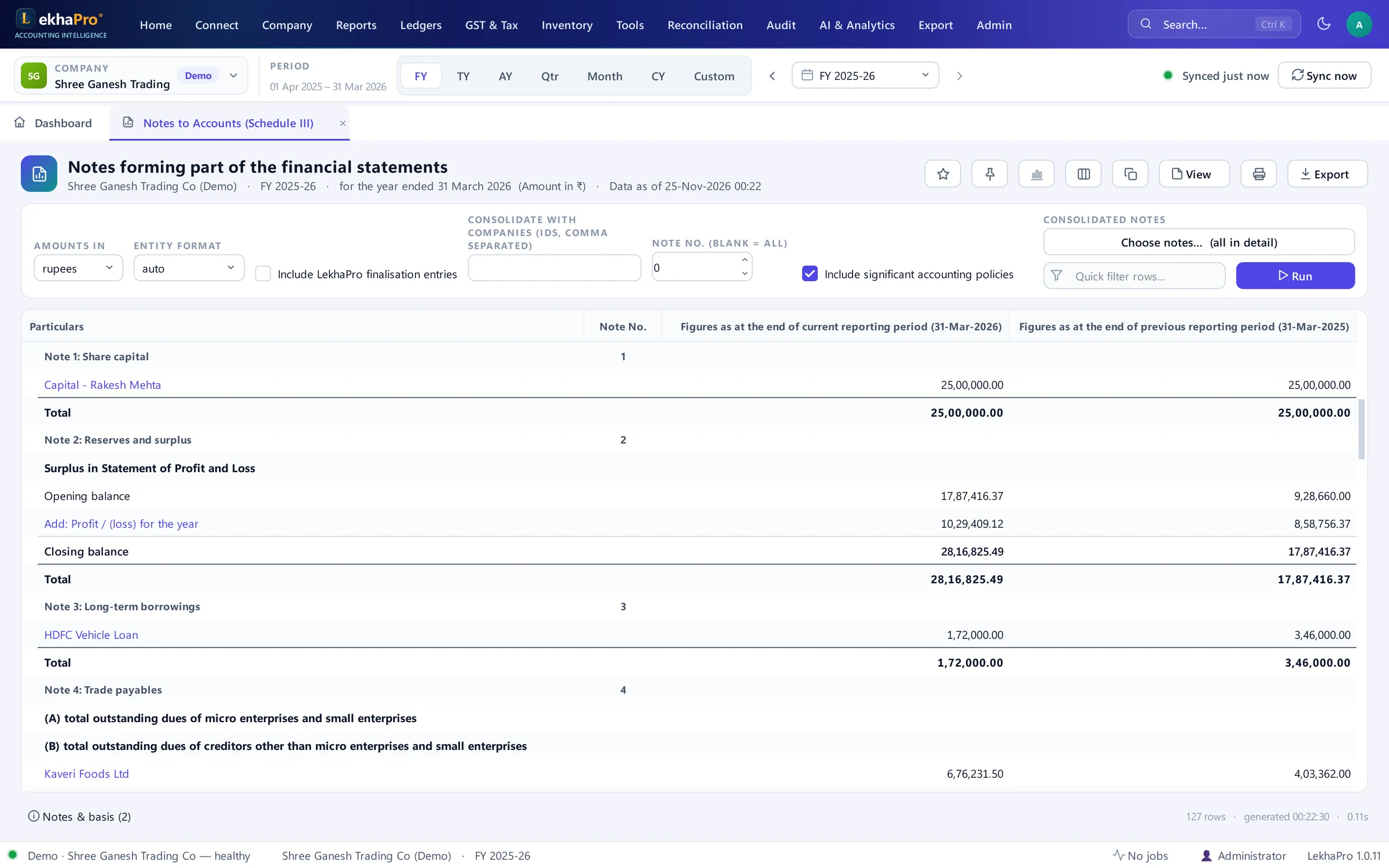
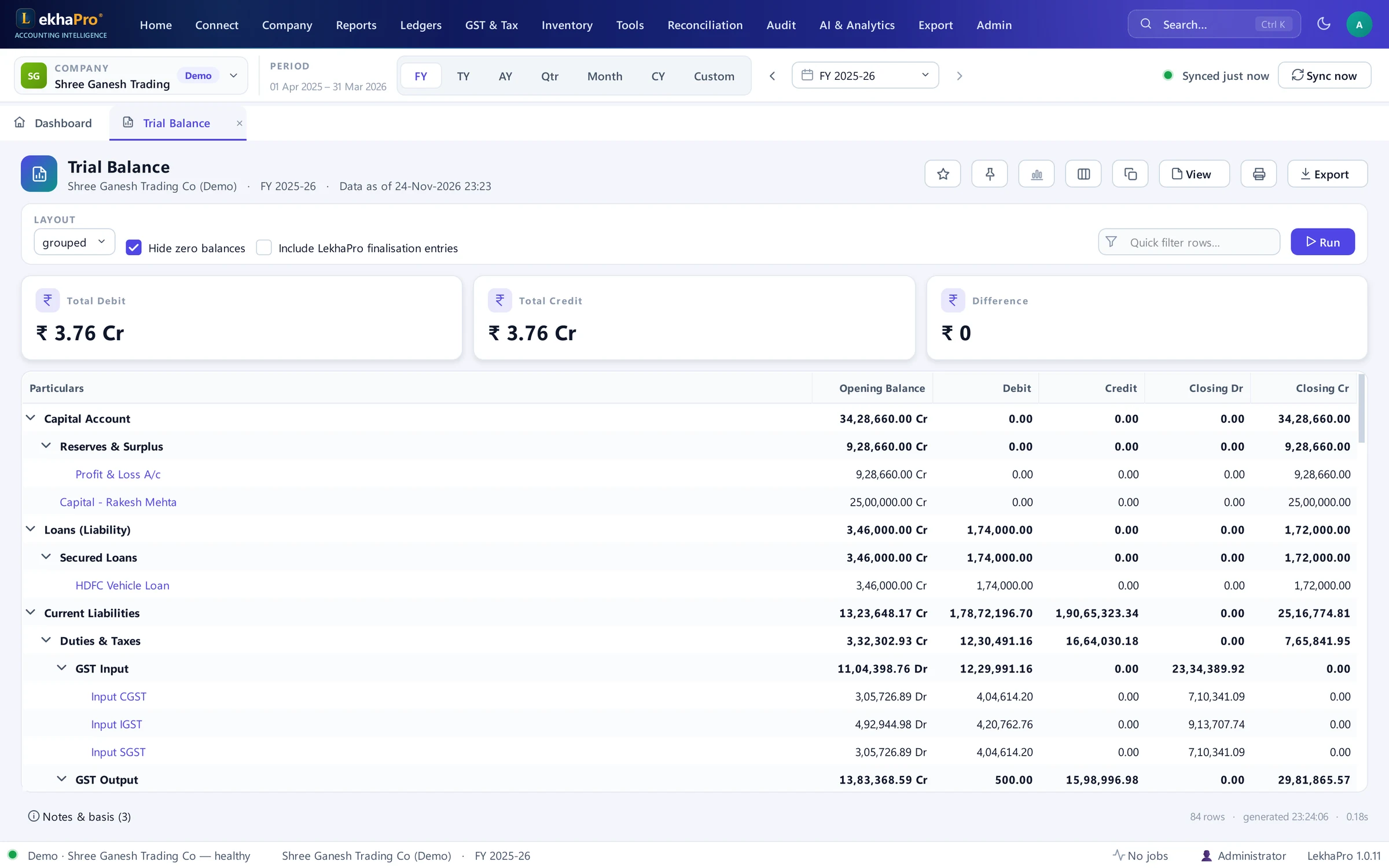
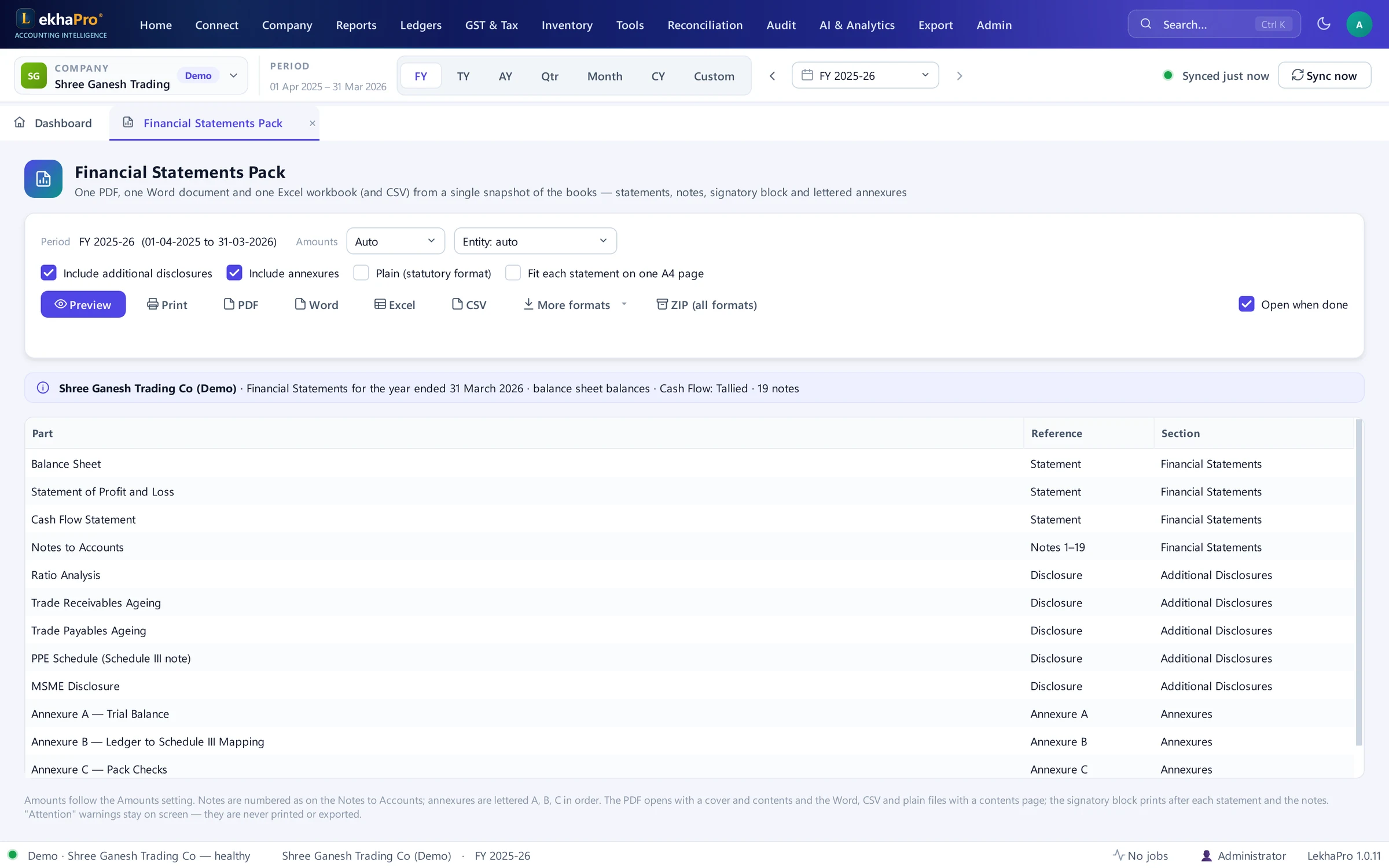
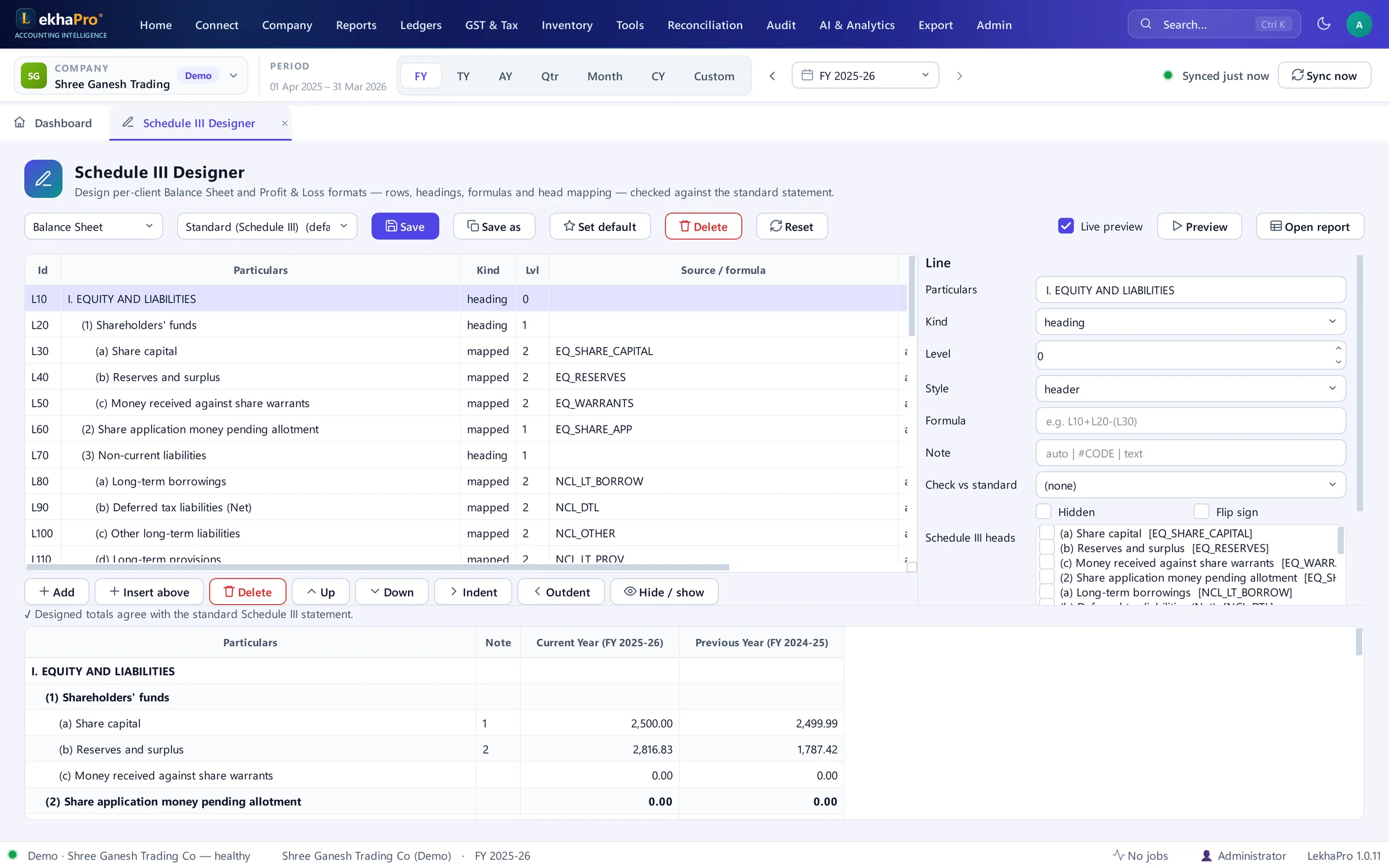
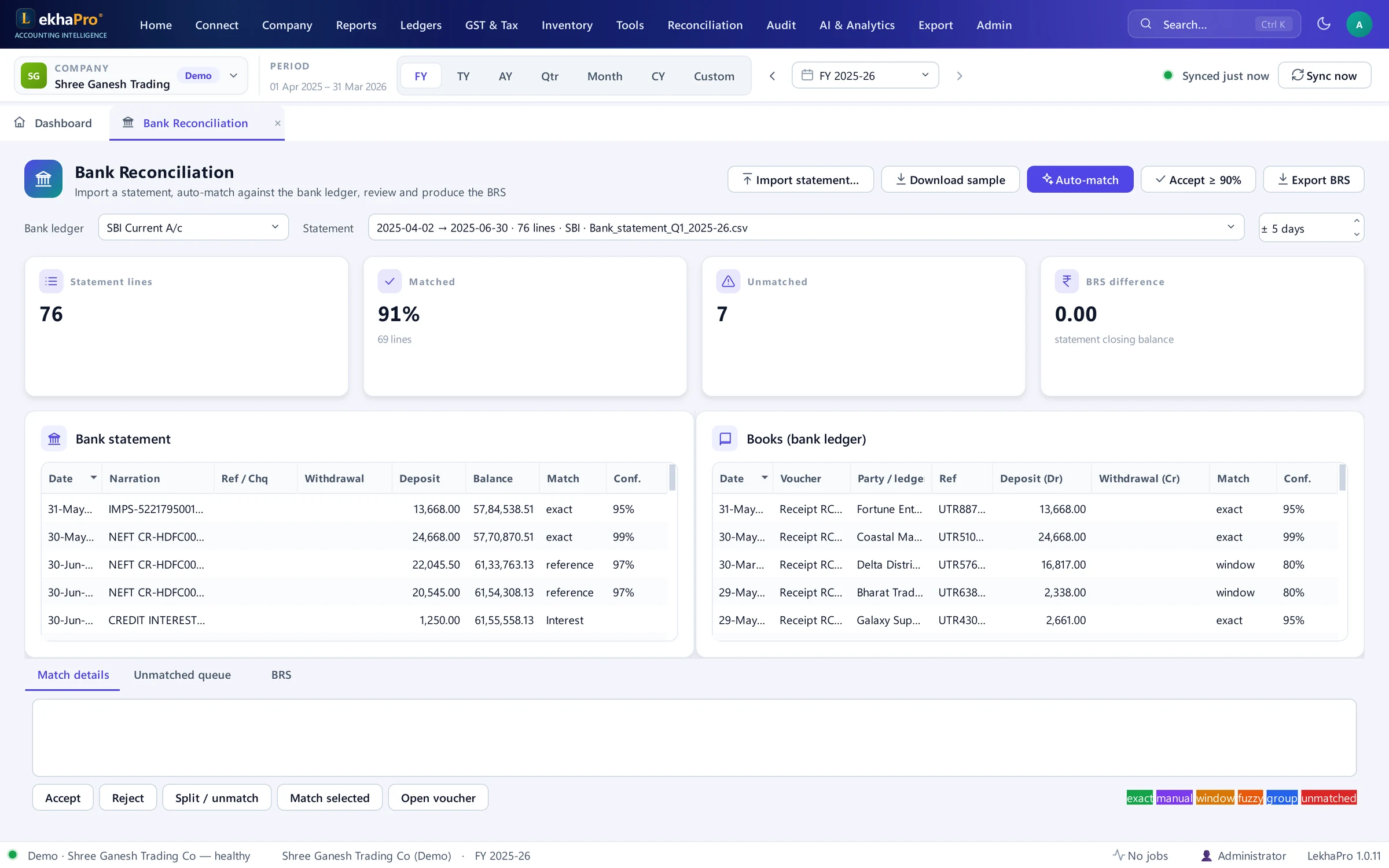
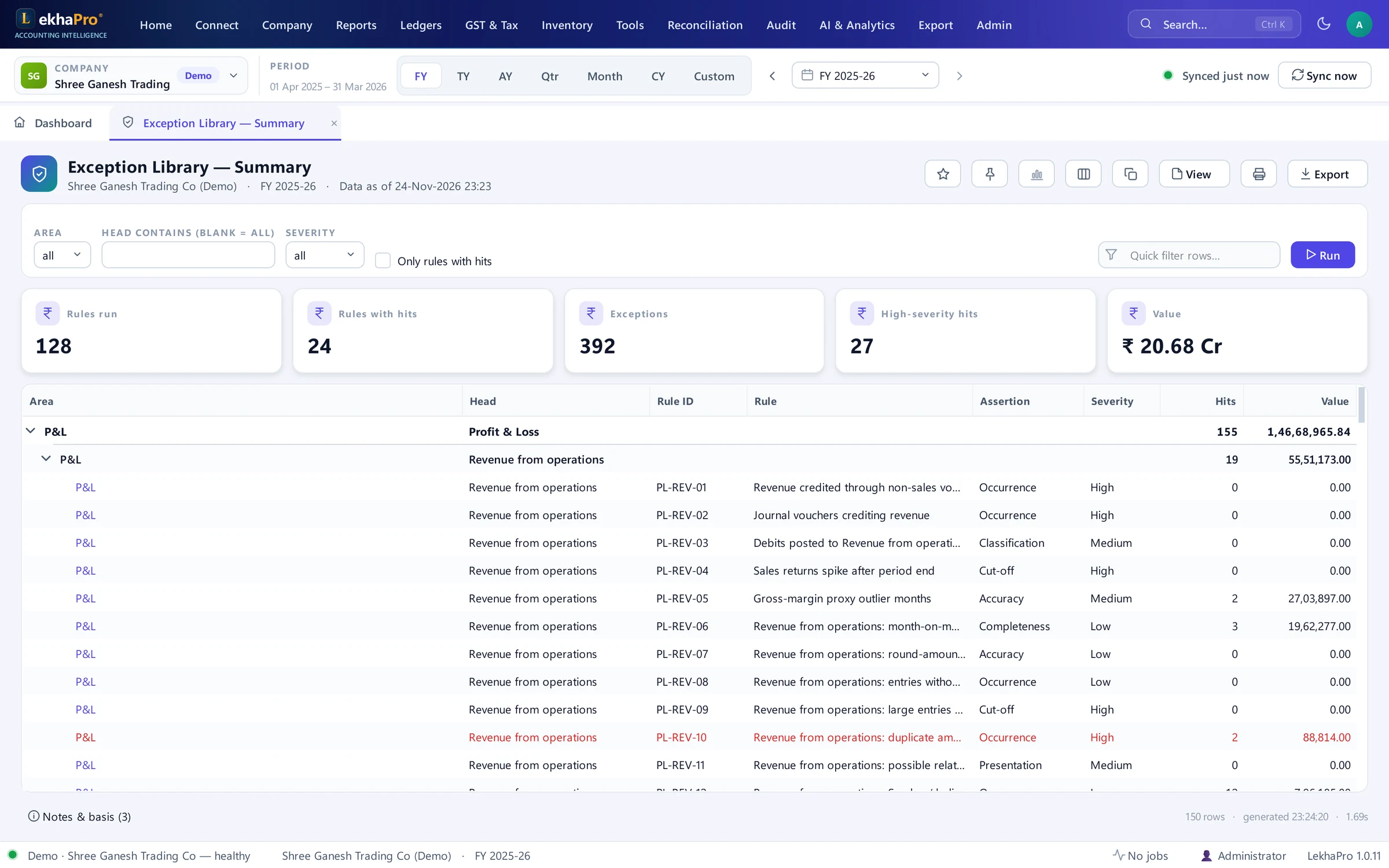
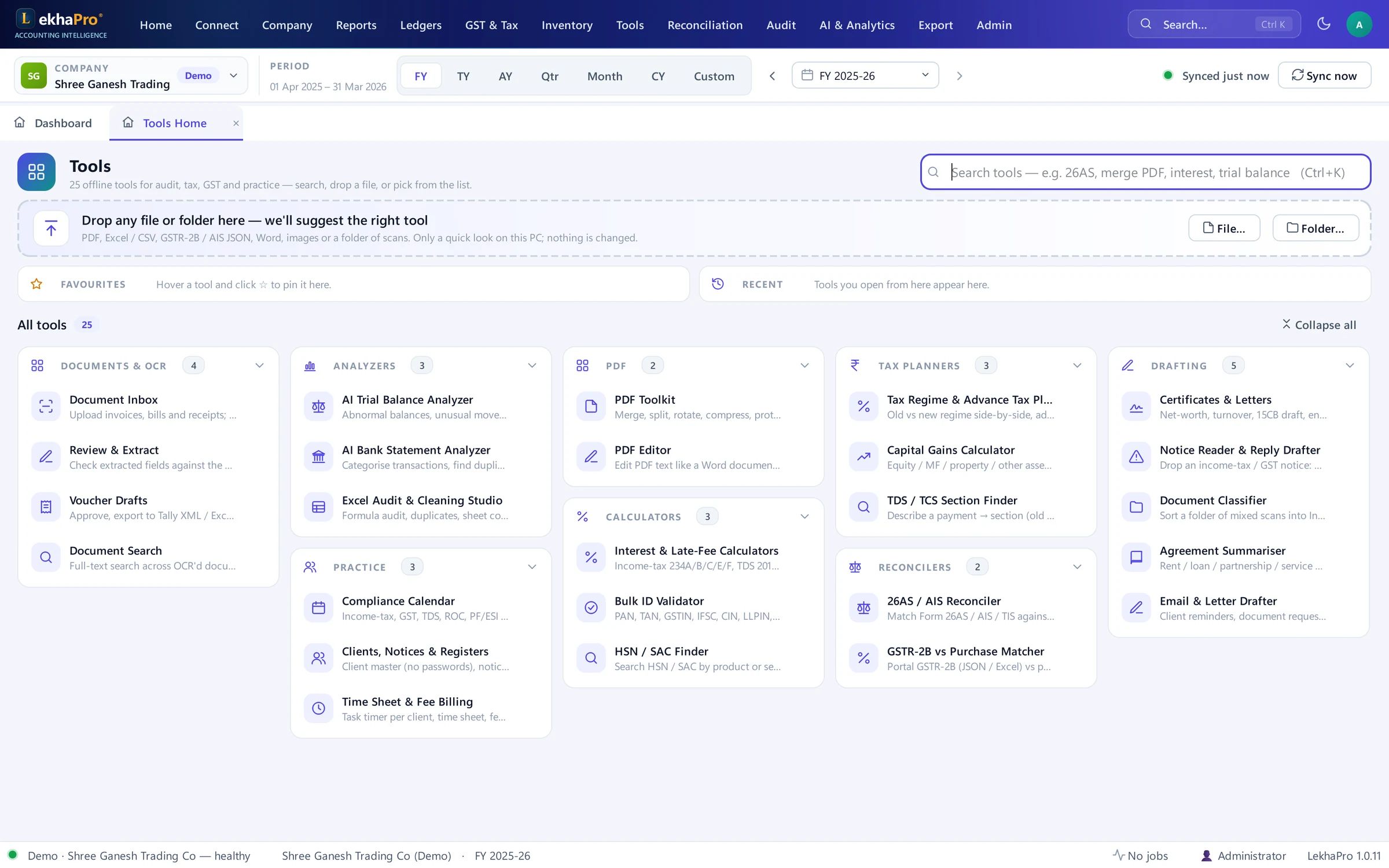
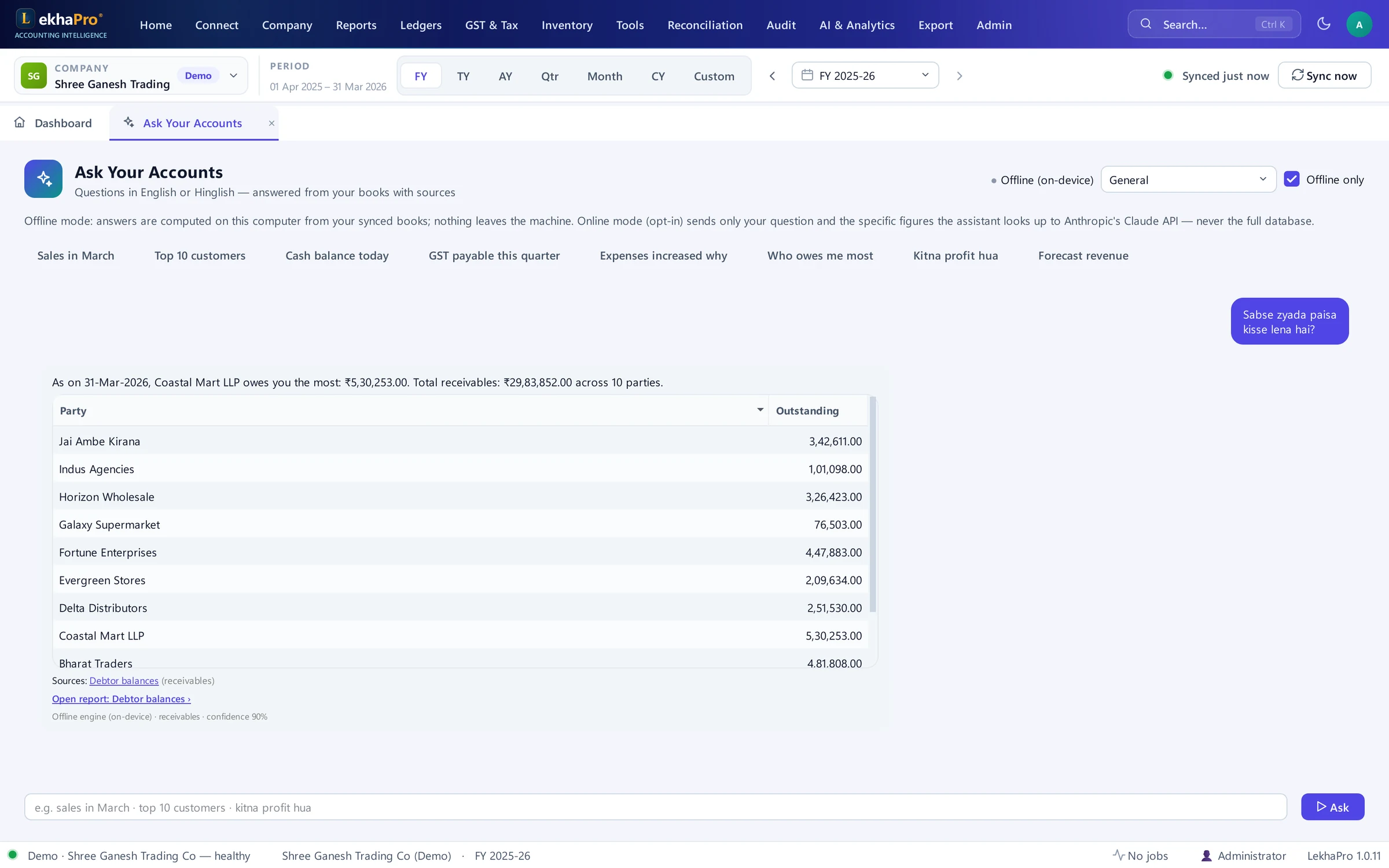
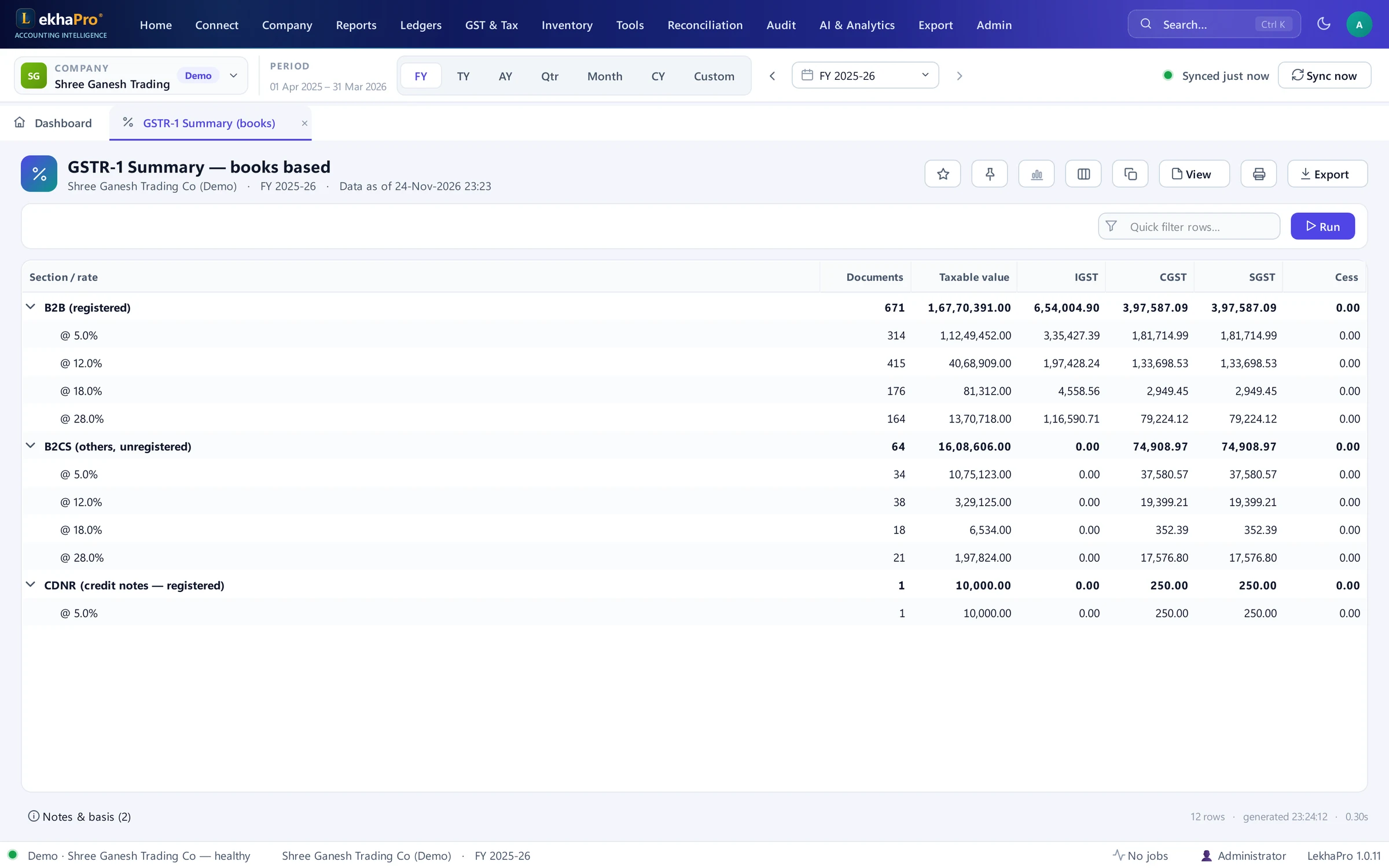
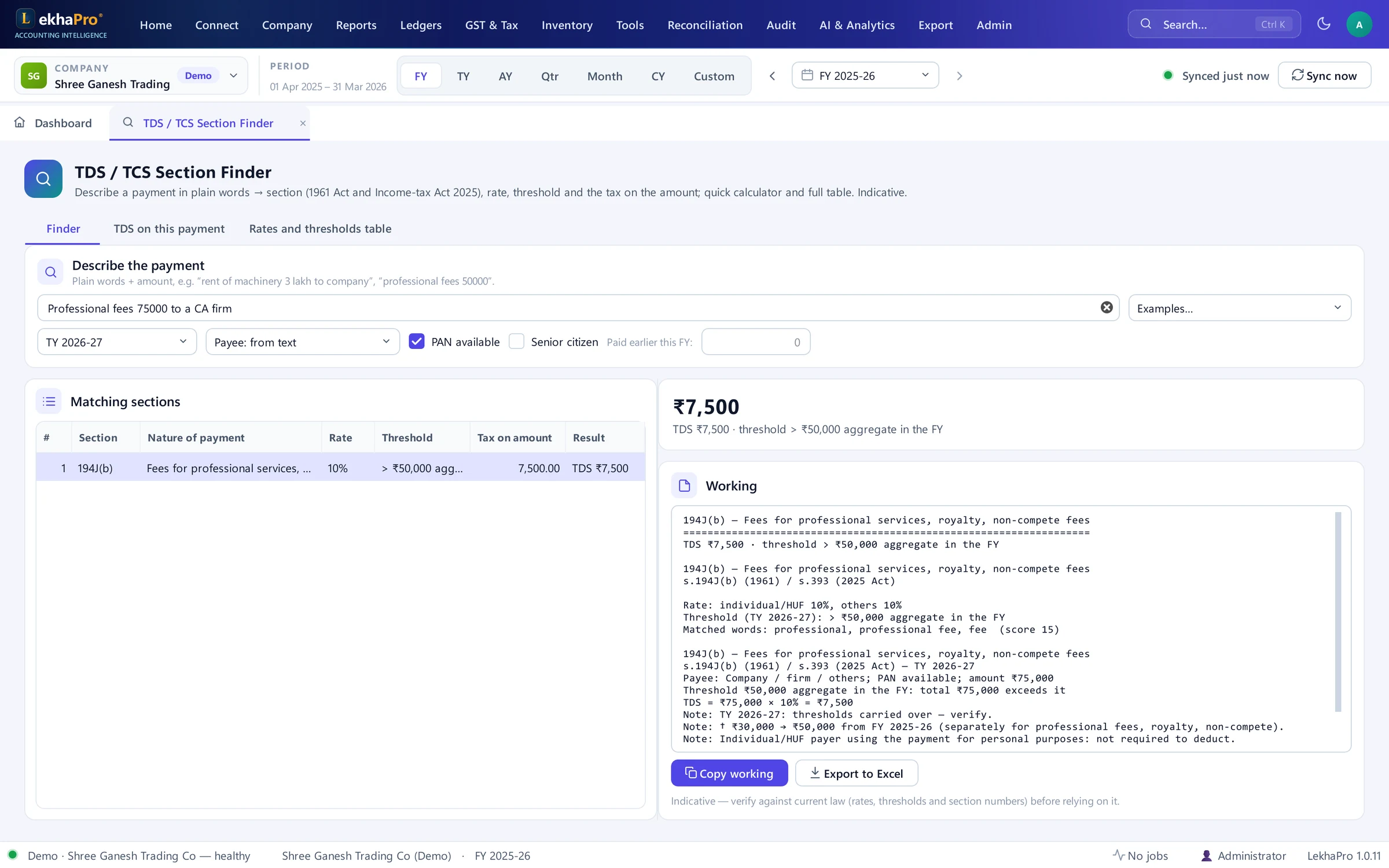
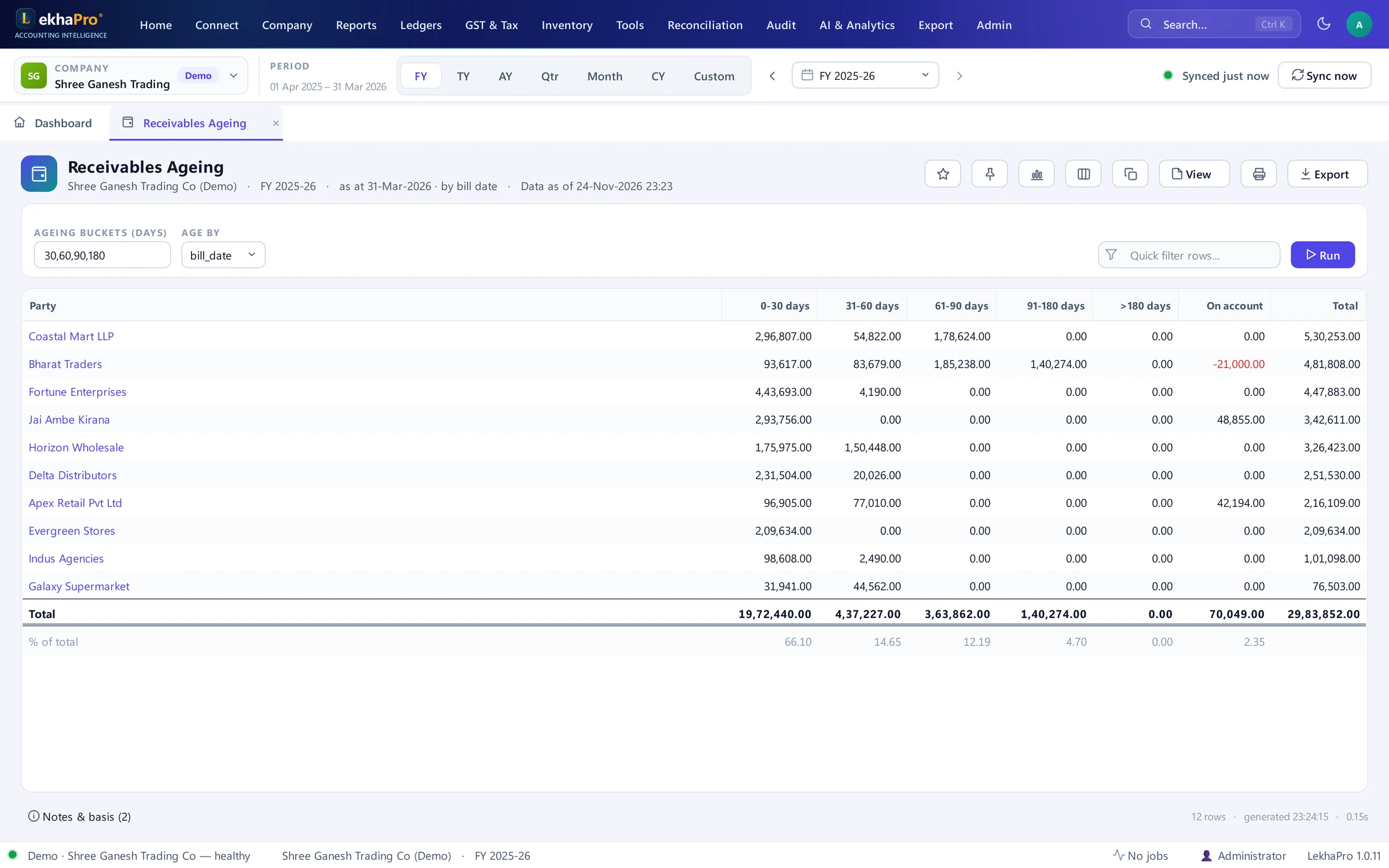
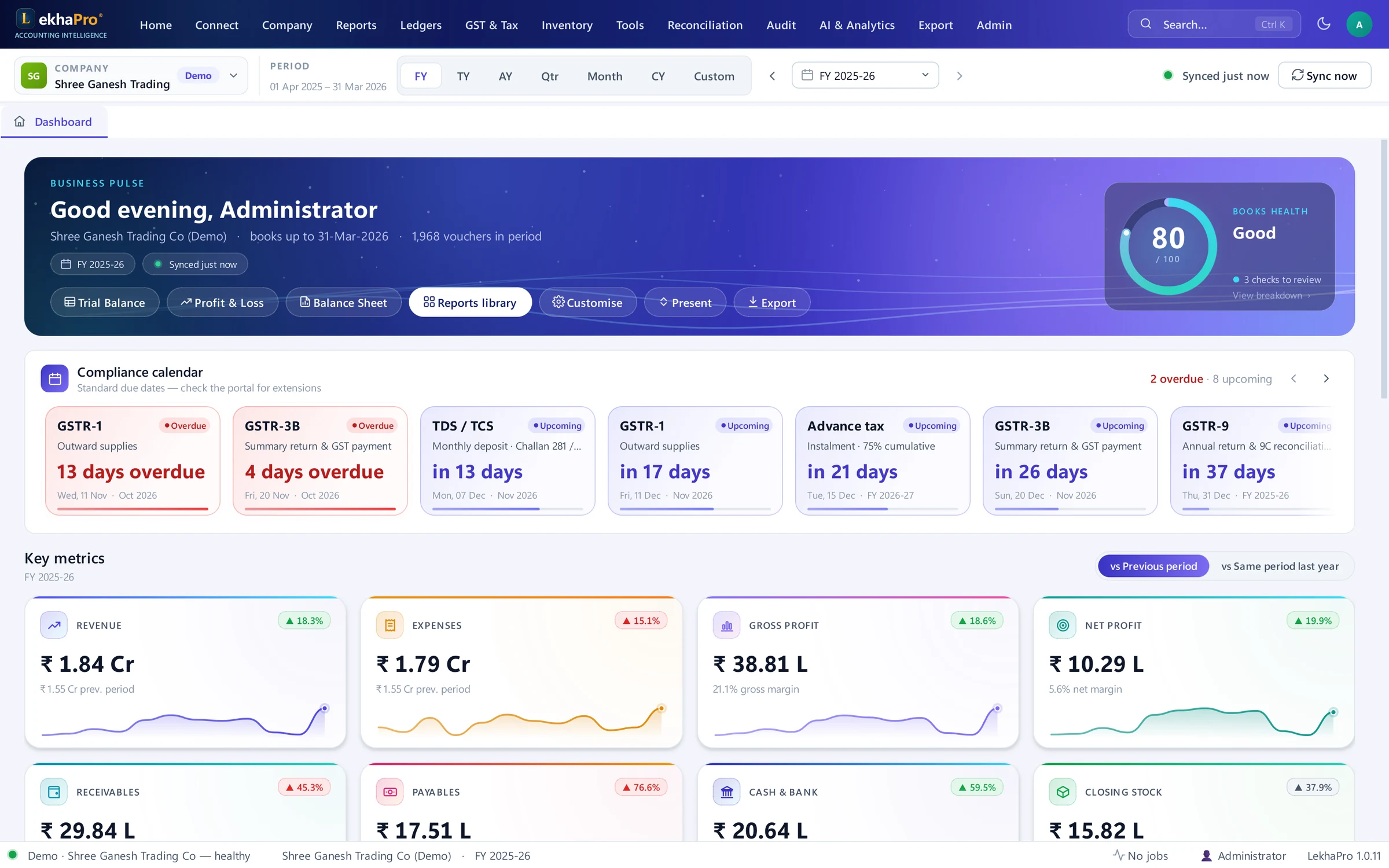
DashboardLekhaPro dashboard with business pulse, compliance calendar and key metrics
Questions
Schedule III, GSTR-2B, BUSY, MARG and audit
How do I prepare Schedule III statements from Tally?
Connect the Tally company, choose the year and open the Schedule III Balance Sheet or Profit and Loss. LekhaPro maps ledgers to Schedule III lines, adds previous-year figures, notes, ageing and ratios, and lets you change the mapping and layout. Export to PDF, Word or Excel after your review.
Statements follow Division I of Schedule III. Year-end entries are kept beside the books.
How does GSTR-2B reconciliation work?
Import the GSTR-2B file downloaded from the GST portal as JSON, Excel or ZIP. LekhaPro compares it with purchases in the books by GSTIN, invoice number, date and value. It lists matched, different, missing and duplicate invoices, finds numbers typed differently, and shows the ITC at risk.
It also works for GSTR-2A and for filed GSTR-1 against sales, with an IMS worksheet and supplier follow-up letters.
Can it read BUSY, MARG and EasySol as well as Tally?
Yes. LekhaPro reads TallyPrime and Tally.ERP 9, BUSY, MARG ERP and EasySol directly, without exporting first. Any other software can come in through Excel, CSV, ODS, XML or JSON files, or a two-year trial balance. All of them use the same report library, so your working method stays the same.
Tally can be read live or from its data folder with Tally closed. Product names belong to their owners and are used only to say what LekhaPro can read.
Does LekhaPro file GST returns by itself?
No. LekhaPro makes files from the books and checks them before export: GSTR-1 JSON and Offline Tool Excel, GSTR-3B JSON, e-invoice and e-way bill bulk files and more. You review each file, upload it to the portal and file the return there with your own login.
Can it read a Tally company locked with TallyVault?
Only with the client's help. A TallyVault company is encrypted, and LekhaPro does not guess or break its password. The client can open it in Tally and let LekhaPro read it live, or remove the vault in Tally. Either way, the password is typed only into Tally itself.
Which audit checks does LekhaPro run?
LekhaPro runs an Exception Library of 128 rules on the books, with limits that you can tune for each company. Checks cover cash limits under sections 40A(3) and 269ST, duplicates, back-dated entries and Benford analysis. Sampling, a CARO 2020 builder and an anomaly ranking are included. Results need your review.
What are the CA tools?
There are 21 CA tools and 4 document tools in the desktop app. They include a PDF toolkit and editor, interest, late-fee and capital gains calculators, 26AS and AIS matching, registers for notices, UDIN and DSC, and certificates and letters. The file-based tools work only on the files that you choose.
See it on your own client's books
Ask for a personalised demo for your practice or finance team.